

1.Select the “Gear” icon at the upper right corner of the screen.

2.Select the “More Settings” in the bottom right corner of the “Machine” settings.
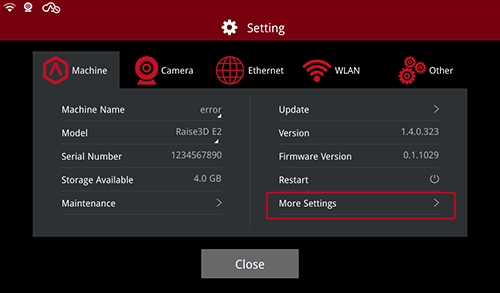
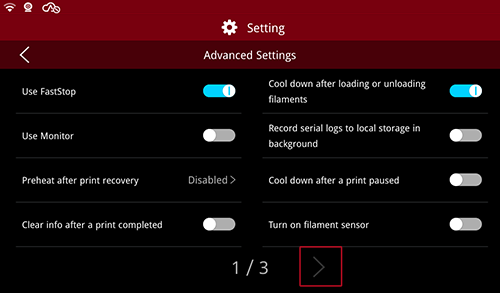
3.Then select the “Advanced Settings” at the upper right corner.

4.Select the rightward arrow at the bottom of the screen to go to Page 3.
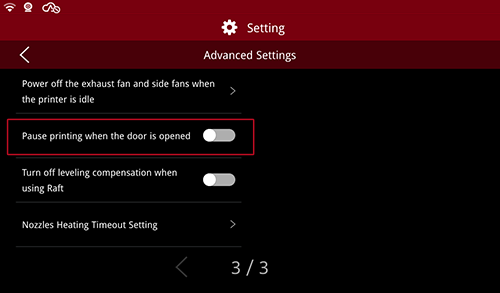
5.Select the button beside the “Pause printing when the door is opened” to turn on/off the function (Gray means “Off” and blue means “On”).
- END -
