

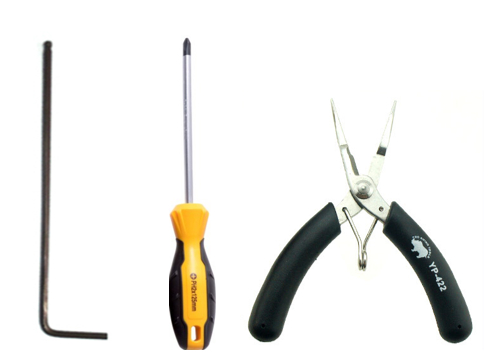
Tools:
①2mm hex wrench
②Philips Screwdriver
③Pliers
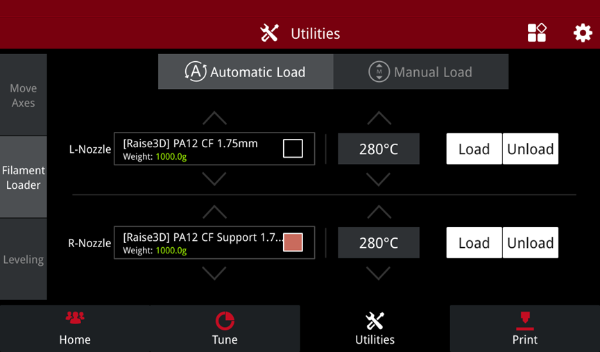
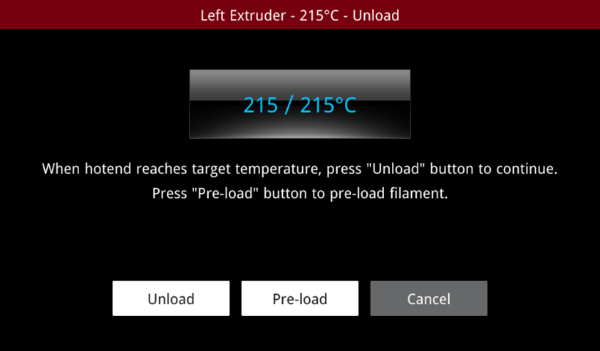
1.Go to the “Utilities” page, select “Filament Loader”, and select “Unload”. Wait for the temperature to reach the set temperature, then select “Unload”.
2.Power off. Remove the front fan cover using a 2mm hex wrench.
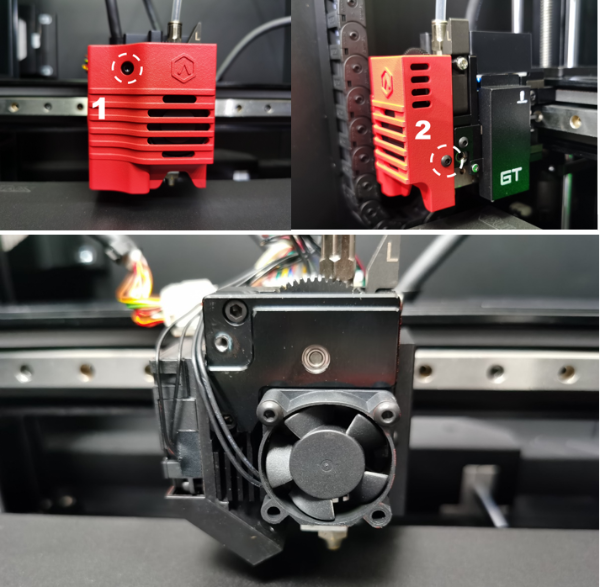
3.Remove the front fan using a 2mm hex wrench.
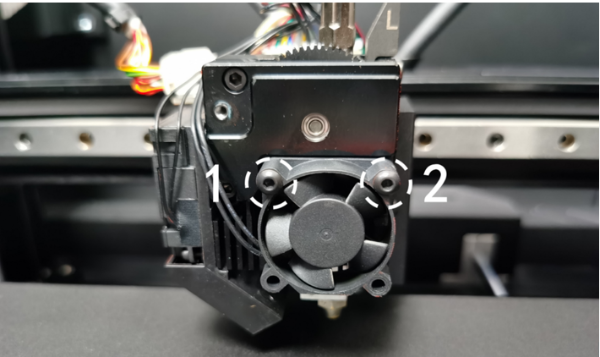
4.Remove the gear cover using a 2mm hex wrench.
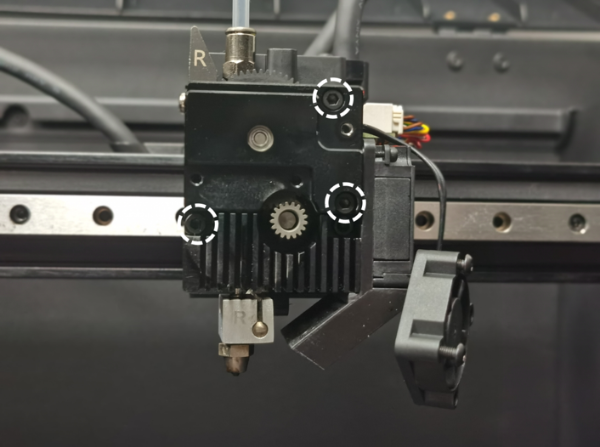
5.1.Loosen and remove the big gear. Do not lose the bearing that carries the big gear.
Note: It may be more difficult to remove the big gear if there is any melted filament.

6.After removing the big gear, check if any filament has accumulated. If so, use a pair of pliers to move it.
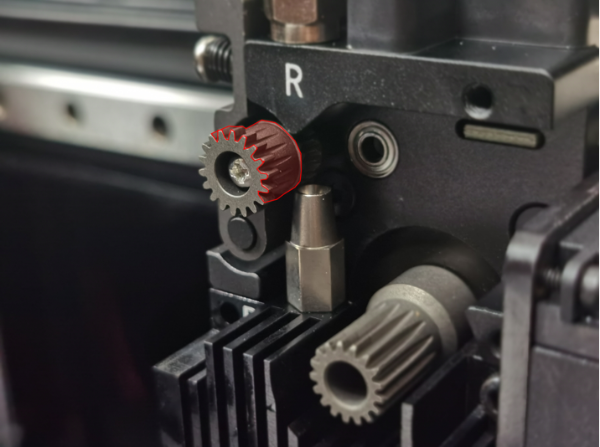
7.After removing the jam, reinstall the big gear, gear cover, extruder front cooling fan, and extruder cover following the instructions above.
[ E2CF – How to Remove the Jam – V1.0 ]
-END-
