

Maintenance work should be regularly in order to keep the printer in good condition and achieve high quality prints every time. Some parts require maintenance before each print and some every few hundred working hours. All maintenance activities do not take much time and are not complicated. Before commencing any repair, it is extremely important to turn off the printer and let it cool down. Remember to always wear safety gloves and glasses.
The following tables present maintenance and repair guidelines connected with each section of the E2CF, together with specific check points, necessary activities and their frequency.
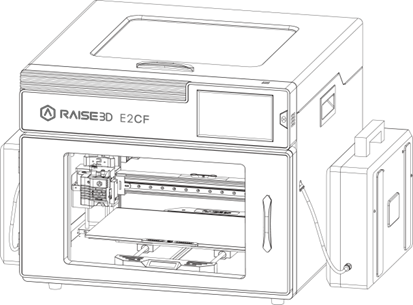
ACTIVITY | FREQUENCY |
Cleaning the machine, its interior and surroundings, especially the bottom plate under the build plate. | Before each printing |
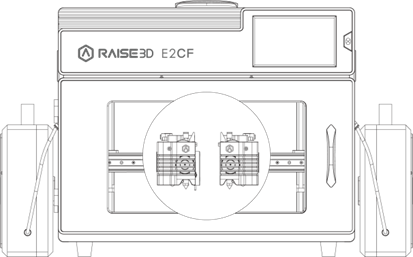
ACTIVITY | FREQUENCY |
Checking if the screws that secure the hot end are not loose and, if necessary, tightening them. | Every 300 working hours |
Removing the material remains and lumps from the extruder. | Every 300 working hours |
Checking if the fans are working. If not, it might cause the jam. | Every 300 working hours |
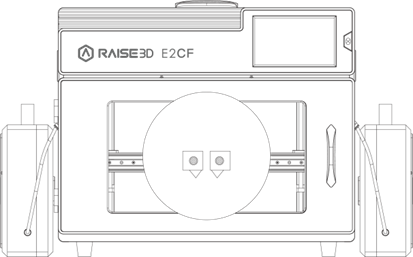
ACTIVITY | FREQUENCY |
Checking if the hot end and the nozzle are not clogged and if they are clean from material residues. | After finishing one spool of material |
Cleaning the nozzle. | Every 300 working hours |
Checking if the screws that secure the heater and thermocouple are tightened. | Every 300 working hours |
Checking if the first layer of the test sample can be stuck to the build plate. | Before each printing |
Checking if the materials feed smoothly. | Before each printing |
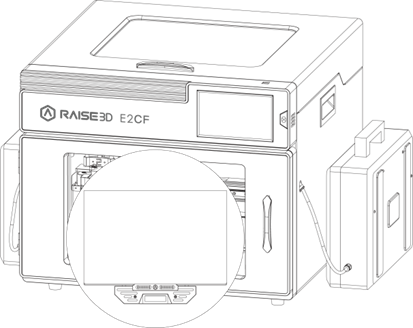
ACTIVITY | FREQUENCY |
Cleaning the build surface with isopropyl alcohol and a rag | Before each printing |
Checking the build plate for deformation. | Before each printing |

ACTIVITY | FREQUENCY |
Check to make sure the guide rail and belts are clean. | Before each printing |
Checking if the print head moves freely. | Every 200 working hours or the extruder doesn’t move smoothly or the print head makes a strange noise as it moves. |
Lubricating the X guide rail. | Every 300 working hours or the extruder doesn’t move smoothly or the shaft makes a strange noise as it moves. |
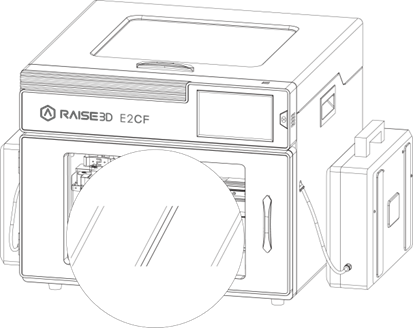
ACTIVITY | FREQUENCY |
Checking the tension of the drive belts on the Y axes. | Every 300 working hours |
Checking if the screws on the Y axes and the motors pulleys are tightened. | Every 300 working hours |
Checking if the Build plate moves freely when motors are disabled. | Every 200 working hours or the extruder doesn’t move smoothly or the shaft makes a strange noise as it moves. |
Lubricating the Y axes. | Every 300 working hours or the extruder doesn’t move smoothly or the shaft makes a strange noise as it moves. |
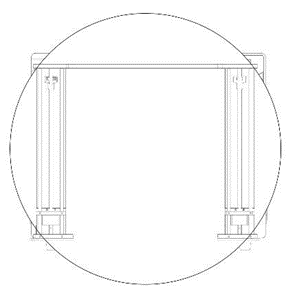
ACTIVITY | FREQUENCY |
Checking if the Z-axis screw and rails are clean from material remains. | Before each printing |
Checking if the screws and nuts are tighten. | Every 300 working hours |
Lubricating the Z axis and rails. | Every 400 working hours |
