

[ Manual N2&N2 Plus - How to Replace the Ethernet Cable - V1.0 ]
Step 1 :Power off the machine, remove the screws as seen in figure 1.
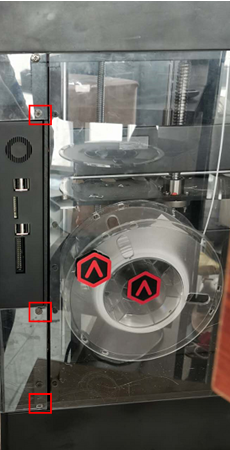
Figure 1
Step 2: Unscrew the four screws shown in figure2 with a 2.0mm hex wrench.
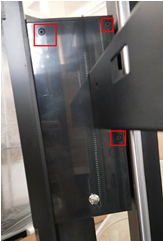
Figure2
Step 3: Remove the extended net cable as shown in Figure 3. (Please note that in Fig. 3 it has already been removed.)
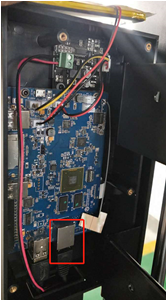
Step 4: Unscrew the extended net cable fixed screws shown in figure 4.
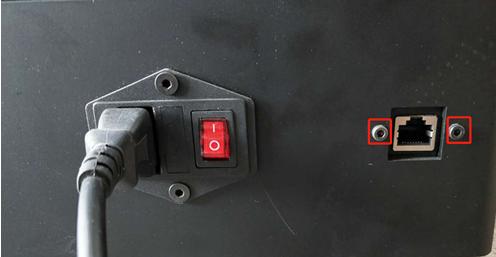
Figure 4
Step 5: Lay the machine on its left side. Unscrew the bottom cover fixed screws, as shown in figure 5.
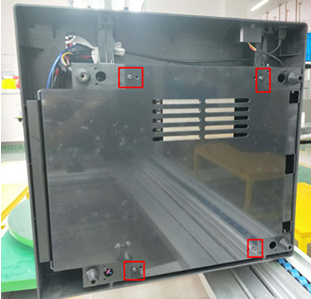
Figure 5
Step 6: Cut off the tie straps and pull out the extended cable from the screen assembly box.

To install the new cable, follow the steps in this guide in reverse order.
[ Manual N2&N2 Plus - How to Replace the Ethernet Cable - V1.0 ]
End
