

[ Manual N2&N2 Plus - How to Replace the Y Shaft Coupler –V1.0 ]
1. Turn the printer off.
2. Unscrew the silver cross screws shown in figure 1.
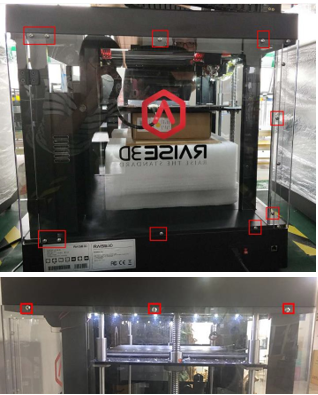
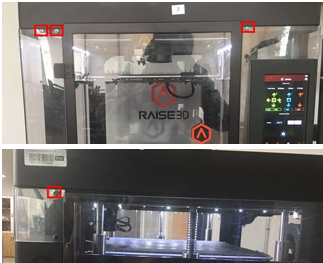
Figure 1
3. Unscrew the 8 black screws on the top cover shown in figure 2.
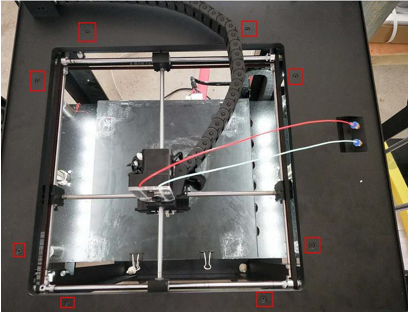
Figure 2: 8 Screws on the top cover
Loosen the USB cable via a straight screwdriver, this cable is fixed by glue as shown in Figure 3.
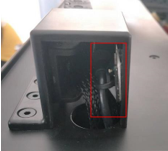
Figure 3: USB cable
Remove the chain towing fixed screws shown in figure 4.
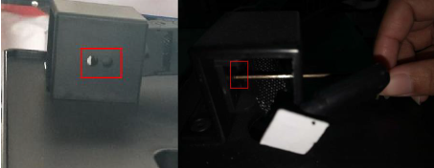
Figure 4: Chain towing fixed screws
Remove the ties which are under the top cover. Now you can lift the top cover up.
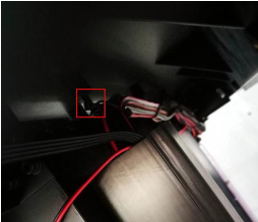
Figure 3: Ties which bundle cables
4. Find the Y motor which is on the rear-right side of the printer and you will see there is a shaft coupler. Unscrew the two grub screws and another two round head screws. (the couplers on your machine may have 4 grub screws and no round head screws)
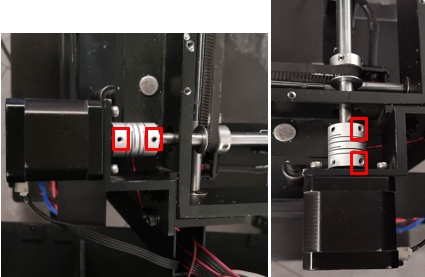
Figure 4: Two grub screws on the shaft coupler.
5: Dismantle the Y motor and its support frame. First, you have to unscrew the four round head screws shown in figure 5. Please note that you have to hold the motor at the same time in case the motor drops on the ground.
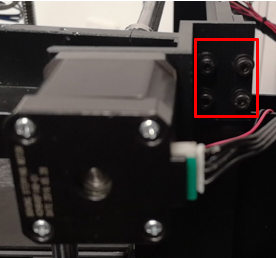
Figure 5: The four round head screws fixing the support
6:Replace the old coupler with a new one.
7: Rotate the back shaft until the flat surface faces upwards.
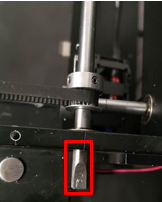
Put the shaft coupler to the end of the back shaft .
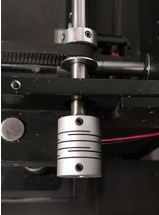
Insert the Y motor into the coupler(The flat surface facing upwards.)
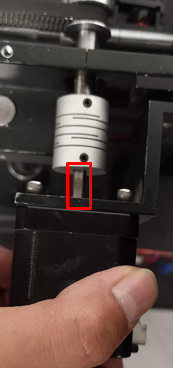
Pre- tighten the two screws which hold the support frame until you can’t move the Y motor easily. (When pre-tightening the screws, the motor should be held by hand to prevent the coupling from breaking)

Check the motion of the Y shaft coupler by holding it with your finger and pushing it back and forth
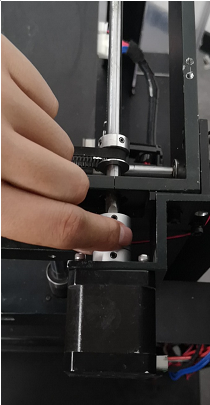
If the coupler does not slide back and forth easily ,please loosen the screws of the support a little until the motor moves to the exact position, which is aligned with the back shaft. Only after the coupler can move smoothly when you use your fingers to drag it forth and back can you then pre-tighten the screws in the support frame.
Check the motion of the Y coupler again and carry out step 8 until the Y coupler motion is very smooth.
9: Move the Y coupler to the position where faces its front edge
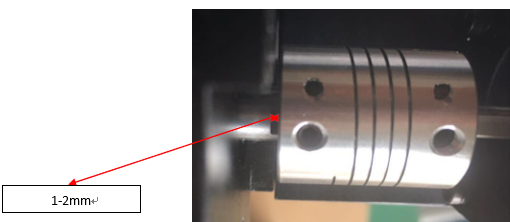
Ensure the two grub screws in the Y coupler are against the flat surfaces of the Y motor shaft and the back shaft. Or please carry out step 5 to 7 again. Tighten the screws in the Y coupler. Reinstall everything.
[ Manual N2&N2 Plus - How to Replace the Y Shaft Coupler –V1.0 ]
END
