

[ Manual Pro2 Series - 018 Disassemble Reset Button-V1.0 ]
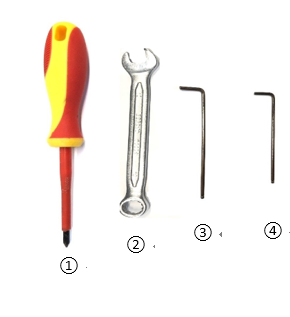
1.Tools needed:
① Phillips head screwdriver
② Hex wrench with 10mm
③ Hex wrench with 2.5mm
④ Hex wrench with 2mm
2.Make sure power is off.
3.Use a Phillips head screwdriver to remove the four M4x8 fixing screws of the PC cover at right front corner and use a 2.5mm hex wrench to remove the four M3x8 countersunk screws at the front side of the cover.
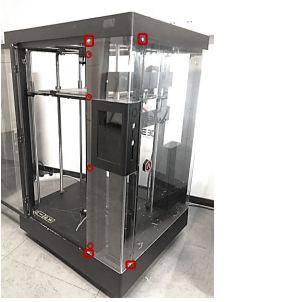
Fig. 2 Screws needed to remove
4.Take off the PC cover.
5. Use the 2mm hex wrench to remove the three hex screws for Touchscreen Assembly.
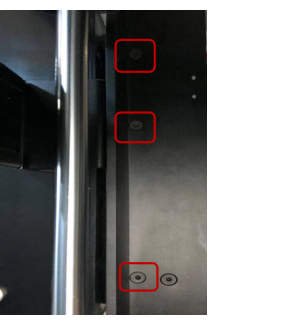
Fig. 3 Screws behind the touchscreen assembly
6.Use 2mm hex wrench to remove the four M3x6 countersunk screws at the back of touchscreen assembly.
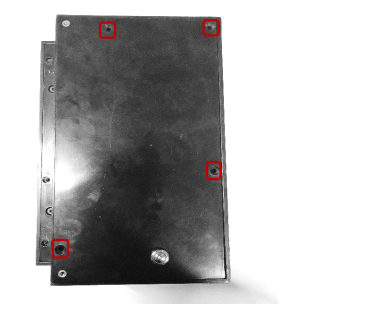
Fig. 4 Screws behind the touchscreen assembly
7.Carefully remove the back cover of the RaiseTouch assembly. Unplug the battery cable and reset button.
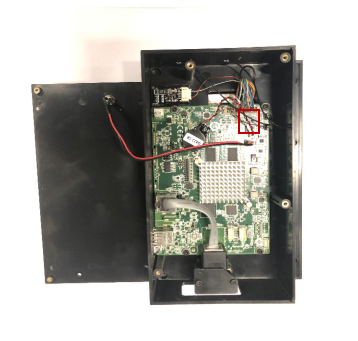
Fig. 5 Back cover removed
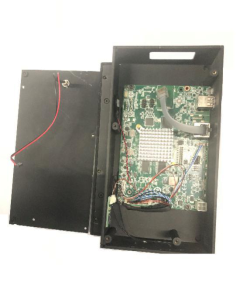
Fig. 6 Unplug the Reset Button wire
8. Use 10mm hex wrench to remove the screw nut of reset button.
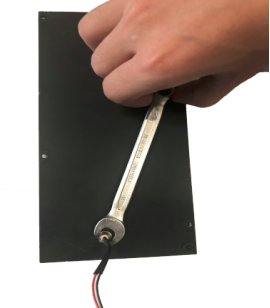
Fig. 7 Remove the Screw Nut
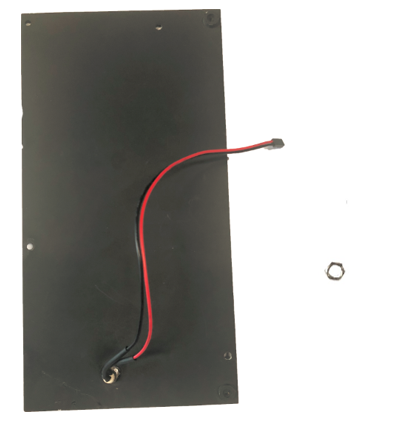
Fig. 8 Screw Nut Removed
9.Unplug the reset button assembly from the back cover of touchscreen assembly.
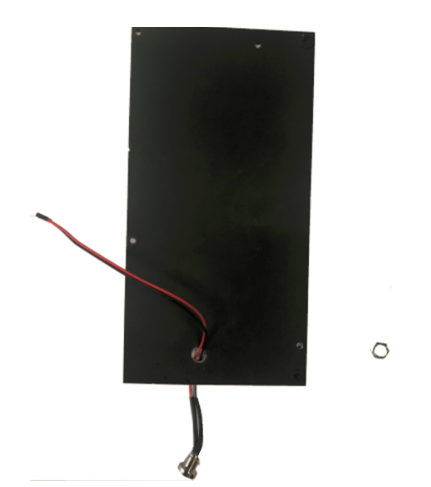
Fig. 9 Unplug the Reset Button Assembly
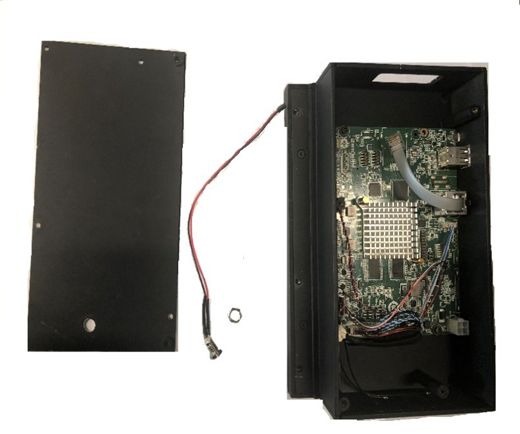
Fig. 10 Finished
[ Manual Pro2 Series - 018 Disassemble Reset Button-V1.0 ]
-END-
