

[ Manual Pro2 Series - 010 Packing -V1.0 ]
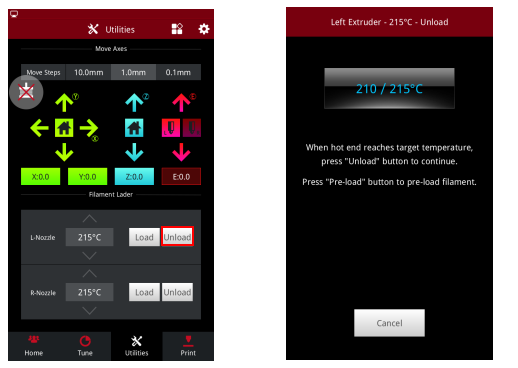
1. Set the temperature 5c higher than loaded filaments printing temperature and press the Unload button in Utilities page and wait until nozzle heat up to the set temperature.
2. Press the Unload button.
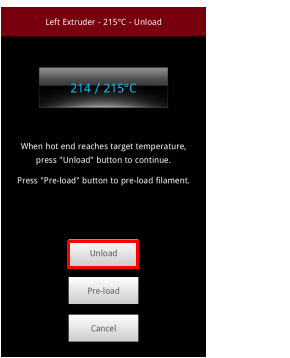
3. Wait until the filament being fully unloaded.

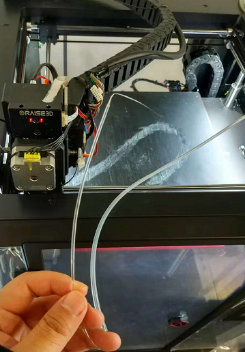
4.Pull out guide tube and the filament.
(If you have filament loaded in the other nozzle, please do the similar steps.)
5. Affix Security Clips
Move the extruder to the back left corner. Affix the X, Y, and crossing rods with the original security clips, alternating the direction of the clips above and below the rods. Each section will have 6 clips.
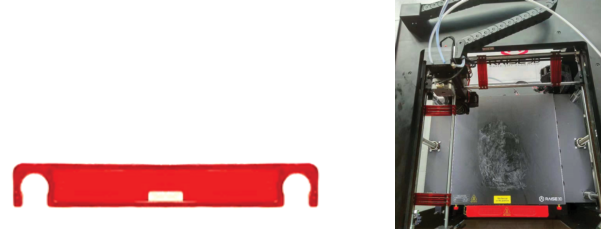
6. Secure Clips
Secure the clips with zip ties.
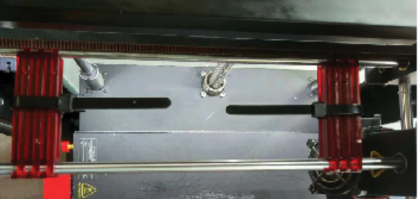
7. Secure the Extruder
Connect 3 zip ties to create a longer length. Wrap the extruder by looping around the indicated bolts. Loop under one bolt, and over the other bolt.
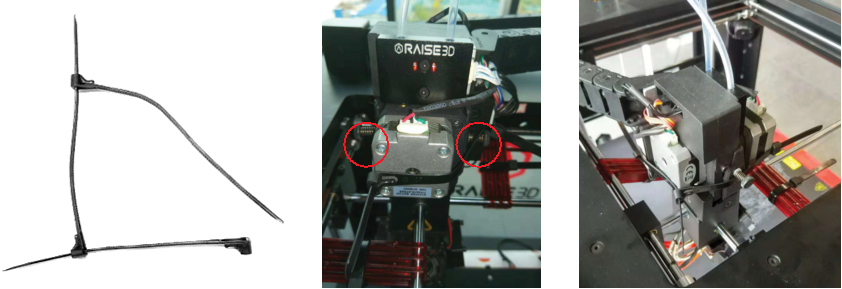
8. Load the Accessory Box
Remove the filament holders and build plate thumbscrews, and place them into the brown accessory box along with other included small components (excluding shipping materials and power cable)
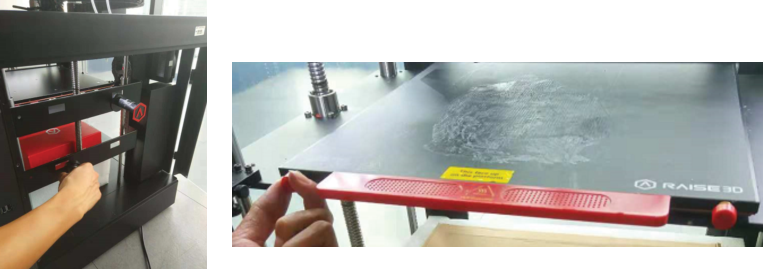
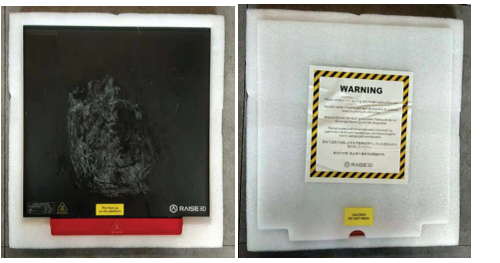
9. Package Build Plate
Remove the build plate and insert it into its foam sleeve
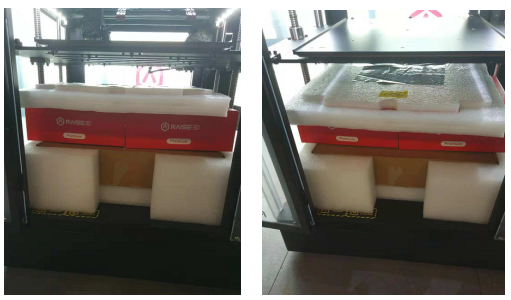
10. Load Accessory Kit
Place the brown accessory box into its foam packaging, and insert it underneath the z-axis bed. Rest both filament boxes on top of the accessory box. Lastly, insert the build plate package above the filament boxes.
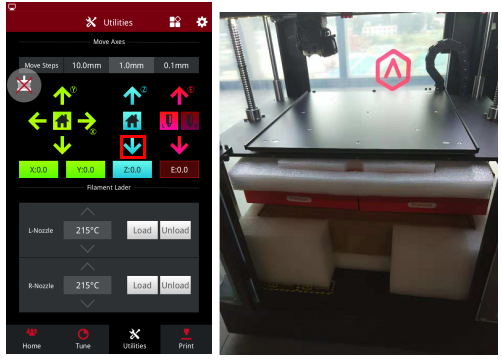
11. Lower the Bed
In the ‘Utilities’ tab, select the blue z-axis downward arrow to secure the packaging underneath the bed.
12. Secure Z-Axis
Insert the two screws for the Z-axis clamp through the label sheet and into the securing block
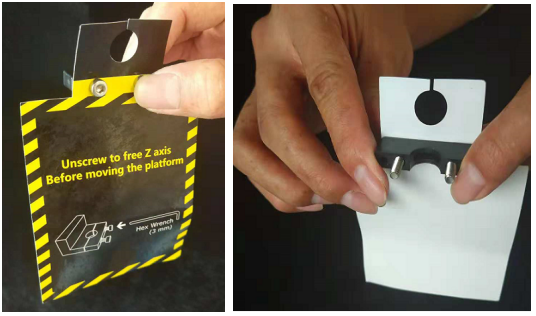
13. Secure this block to its other half around the Z-Axis threads. Place these clamps at the top of the threads on both sides.
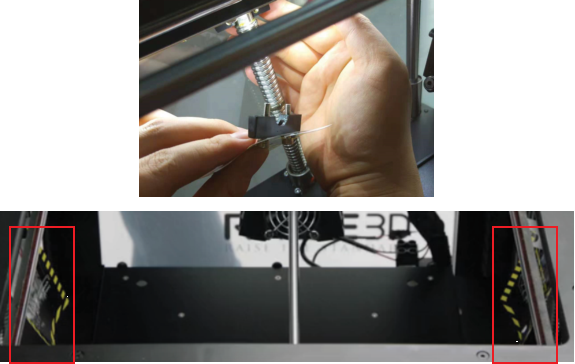
14. Power Off
Turn the power switch off, unplug the power cord, and place the cable back into its labeled cable box.
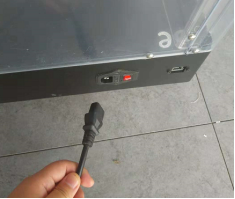
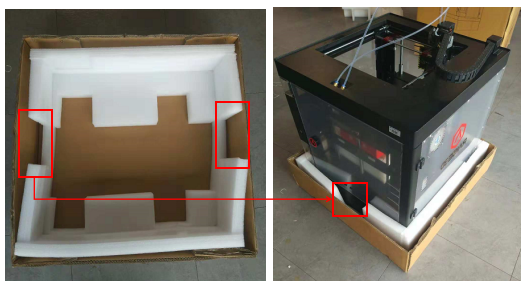
15. Bottom Foam
Place the bottom foam into the cardboard base. Locate the two handhold notches and the power switch notch. Lower the printer into the base with the power switch aligned to the indicated notch.
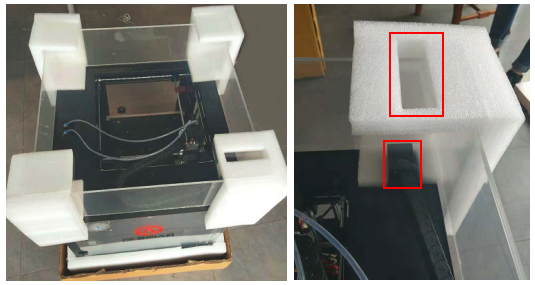
16. Lid Foam
Cover the 4 corners of the acrylic lid with the corner foams. Use the notched foam to secure the corner with the cable chain mount.
17. Cover
Place the four corner posts into the cardboard base, and cover the assembly with the large shipping box.
*The box is not square. For proper alignment, the wall of the box which contains the serial number should correspond to the serial number on the printer.
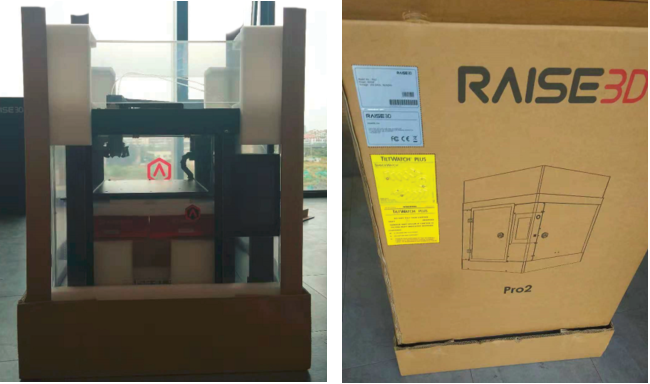
18. Insert Top Foam
Return the power cable box into the top foam, and place the top foam into the box. Use the 4 short corner posts to protect the edges around the top foam. Seal the box with tape.
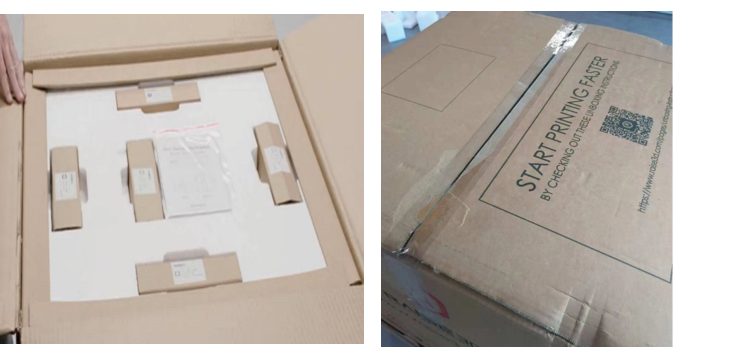
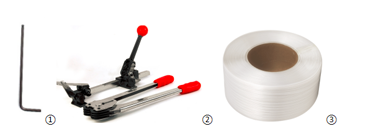
19. If you are going to ship the printer with pallet. Please strap the printer together with the pallet.

[ Manual Pro2 Series - 010 Packing -V1.0 ]
-END-
