

[ Manual Pro2 Series - 036 Replace Front Rod-V1.0 ]
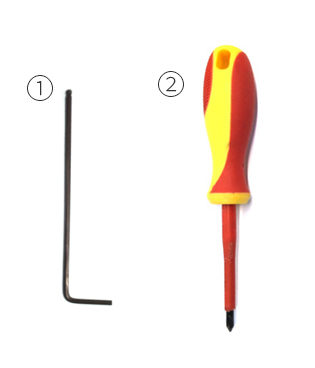
① 2.5 mm hex wrench
② Philips screwdriver
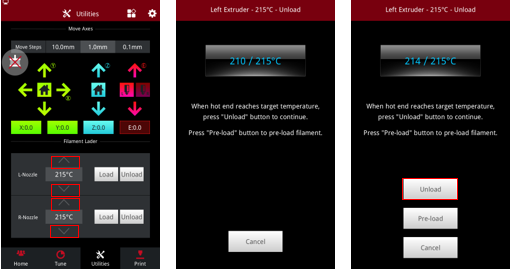
1. Unload filament
2. Power off.
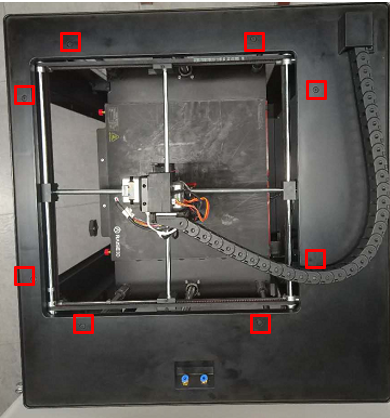
3. Remove the 8 screws on top shroud with 2.5mm hex wrench.
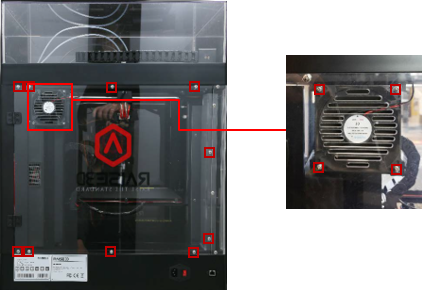
4. Remove the Philips screws on the upper and lower edges of plastic covers with Philips screwdriver and dsconnect the plug to Filter Fan at the same time.
5. Cut the ties which hold the harness at the lower side of top shroud.
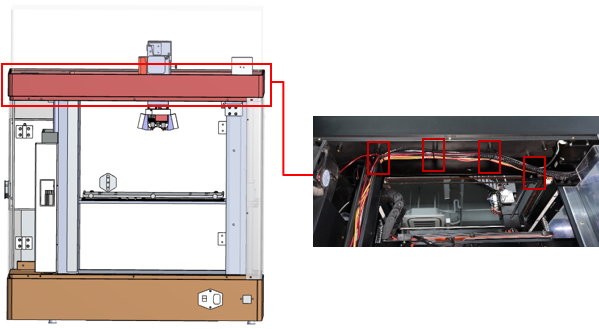
6. Lift the top shroud up manually.
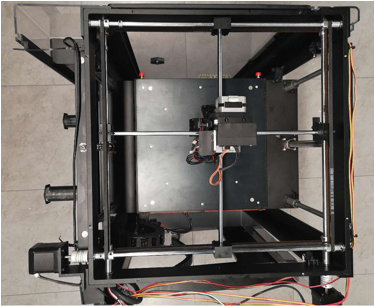
7. Loosen the grub screws Limit Position Columns and Pulleys with 1.5mm and 2.0mm hex wrench.
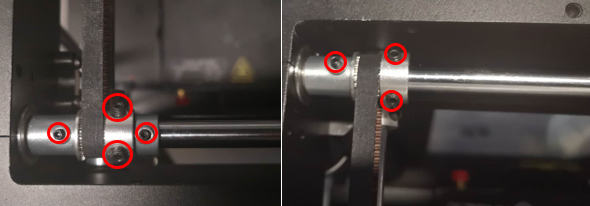
8. Pull the rod out from right side of printer.
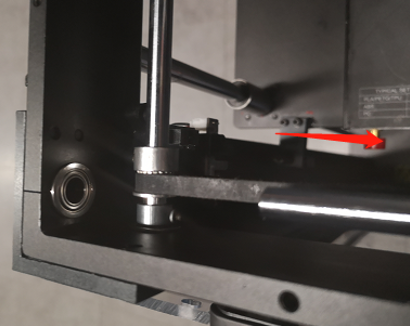
Note: Take special care of Pulleys, Limit Position Columns and Bearings when you are taking the rear rod out. Be sure to remove them in this order.
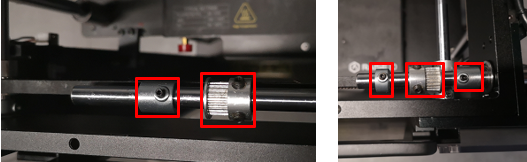
9. Carefully set aside the bearings and Pulleys.
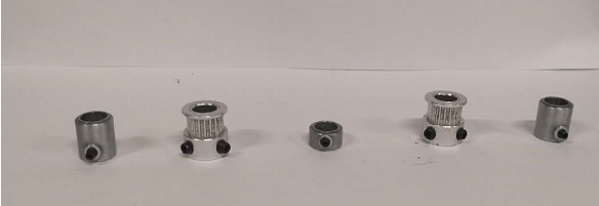
Insert the new rod back through the hole in frame.
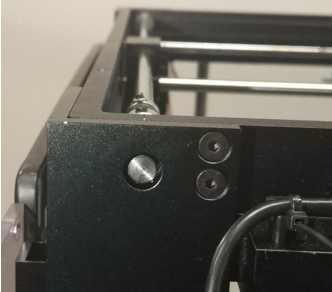
Put the Bearing, Pulley and Limit Position Collet back to the rod before it reaching the sliding block.
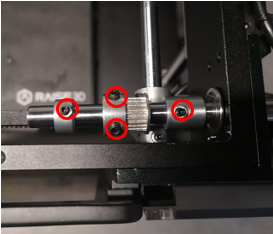
Note: Attach the belt to the Pulley while simultaneously putting the Pulley back to rod.
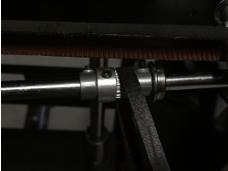
10. Push the rod through the sliding block. Re-install the Belt Wheel, Limit Position Column and Bearing.
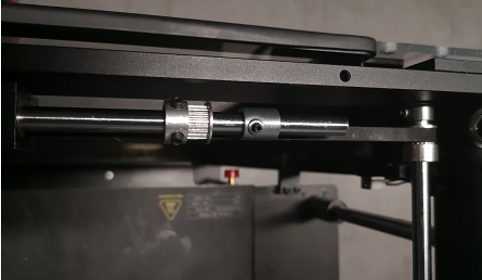
Note: Loop the belt around the Pulley at the same time.
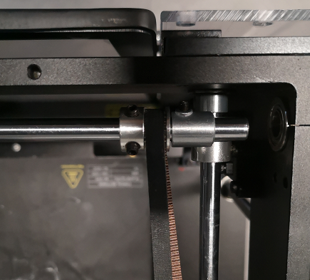
11. Push the rod all the way in to the stop.
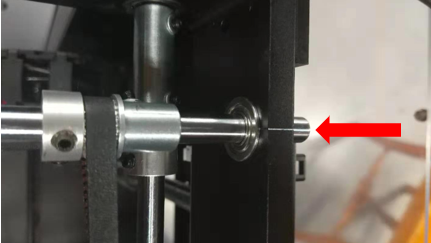
12. Move each Pulley to the end of the rods.
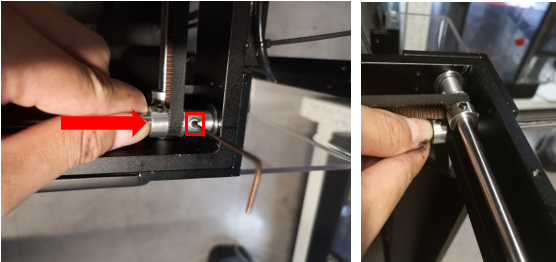
13. Hold the Pulleys in place and tighten the screws on the Limit Position Collets.
14. Hold the rod and toggle left and right to verify it is firmly held in place.
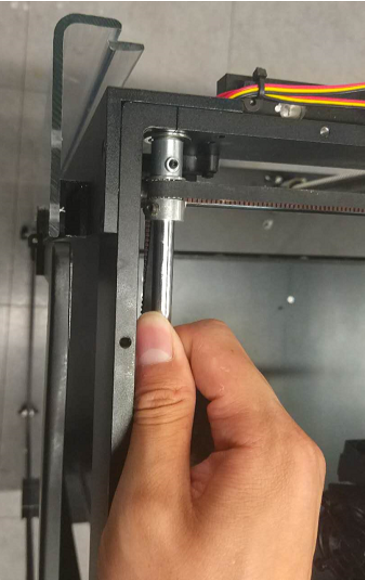
If Rod remains firmly in place then the installation is completed.
If movement is detected loosen the screws on Limit Position Columns and repeat Steps 12 thru 14.
[ Manual Pro2 Series - 036 Replace Front Rod-V1.0 ]
-END-
