

1.Click the "Settings" button in the upper right of the screen (refer to Figure 1) to open the settings interface.
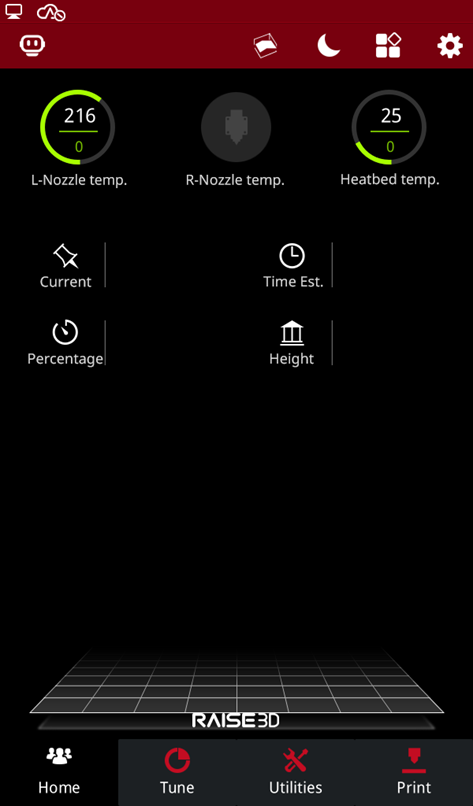
Figure 1: Setting
2.Click the "More Settings" button under the "Setting" interface (refer to Figure 2).
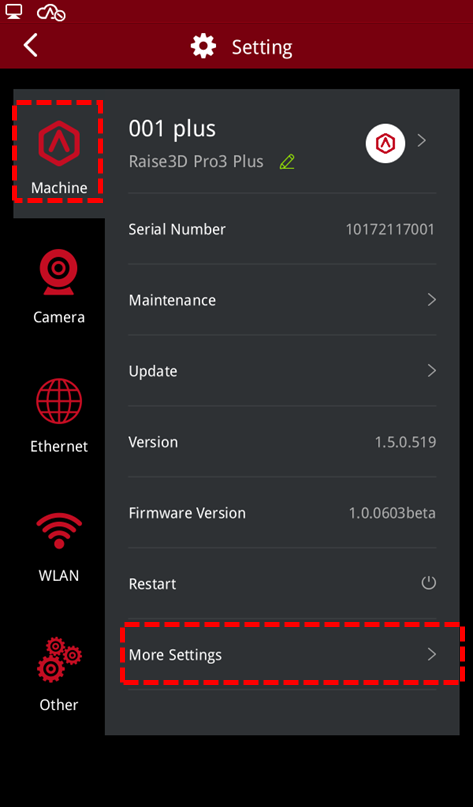
Figure 2: More Settings
3.Click the "Serial Port Log" button under the "More Settings" interface (refer to Figure 3).
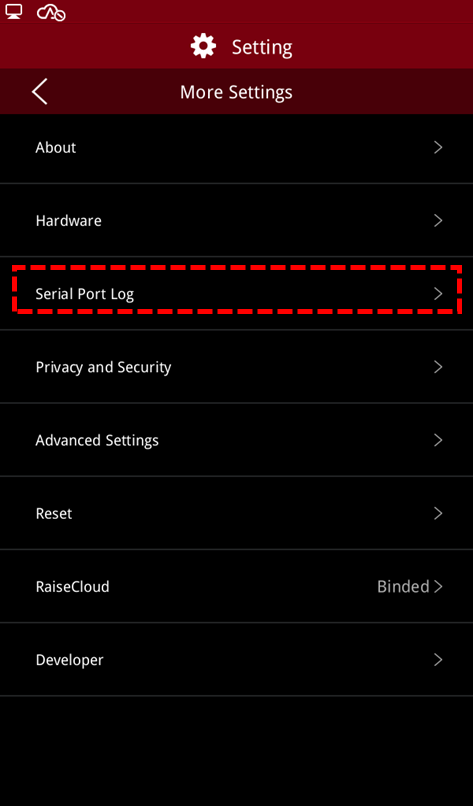
Figure 3: Serial Port Log
4.Insert the USB device into the USB port on the right side of the screen, click the "Export" button in the upper left corner, and export the file to the USB storage (refer to Figure 4).
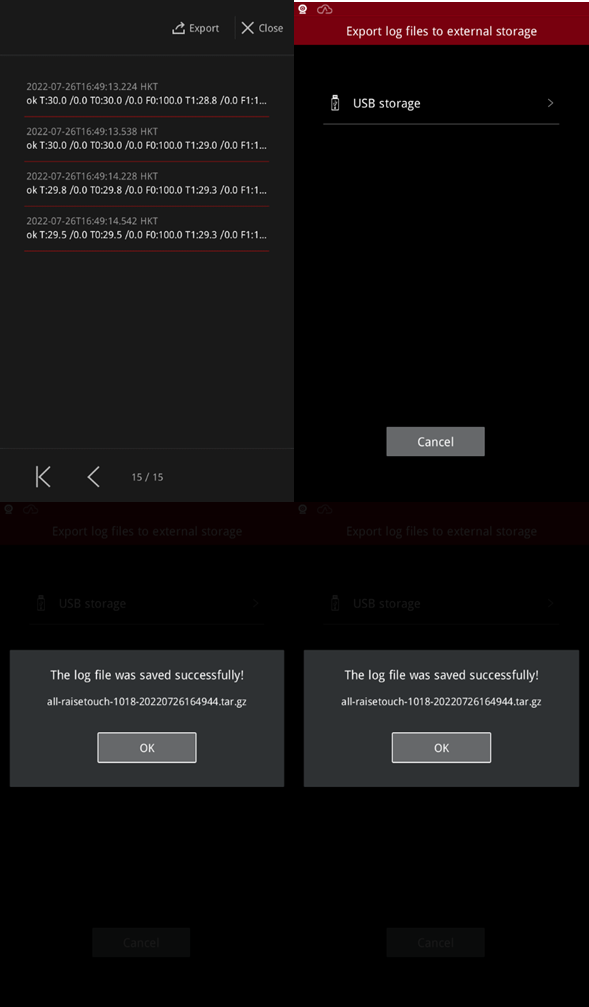
Figure 4: Export Log Files
[15.091-EN.1.0.20220726-Pro3 Series-How to Export Serial Port Log]
-END-
