

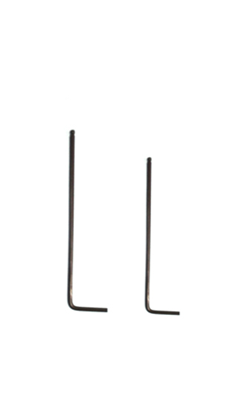
Tools:
①2mm hex wrench
②2.5mm hex wrench
A.Turn off the Printer
Turn off the printer and disconnect the power.
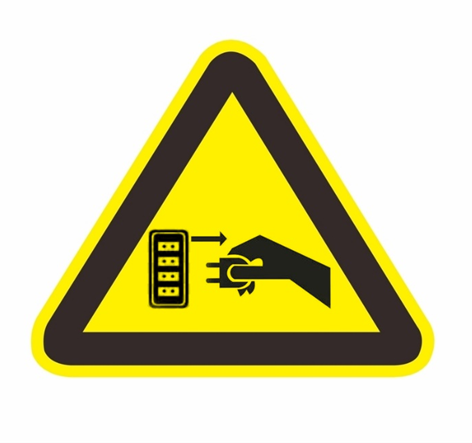
Figure 1 Turn off the printer and disconnect the power.
B.Remove the Wifi Module
1. Remove the 4 screws on the door frame with a 2mm wrench and remove the door frame.
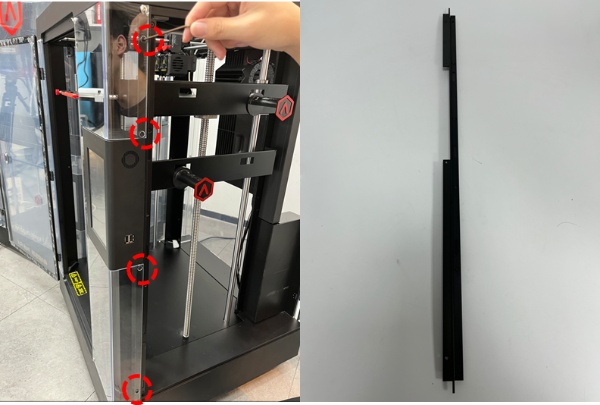
Figure 2 Remove the door frame.
2. Use a 2mm wrench to remove the 4 screws on the screen box and take off the cover.
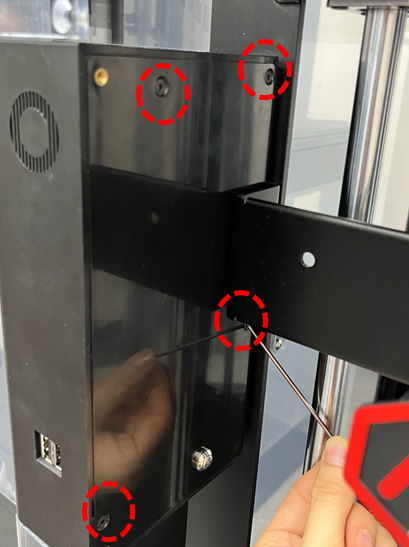
Figure 3 Take off the cover.
3. Unplug the cable connected to the rear case of the screen box, unplug the screen signal cable, and remove the 4 screws that affix the circuit board.
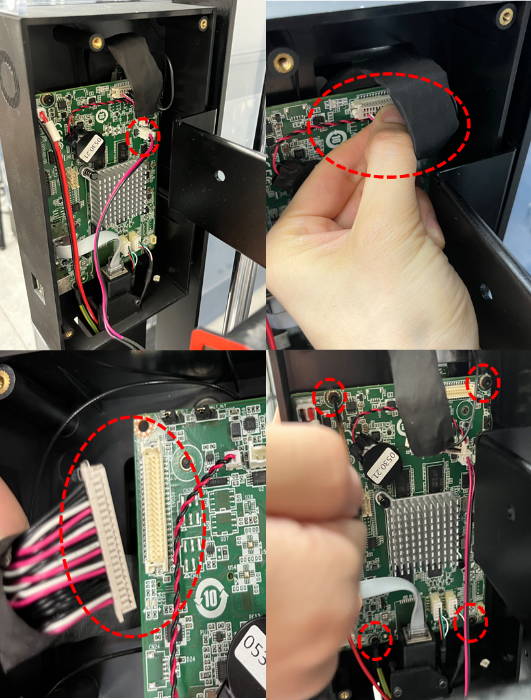
Figure 4 Unplug the cable connected to the rear case of the screen box, unplug the screen signal cable, and remove the 4 screws that affix the circuit board.
5. Find the wifi module, use a 2.5mm wrench to remove the 1 screw that secures the Wifi module, remove the Wifi module from the slot, remove the tape stuck on the screen box, and remove the Wifi module.
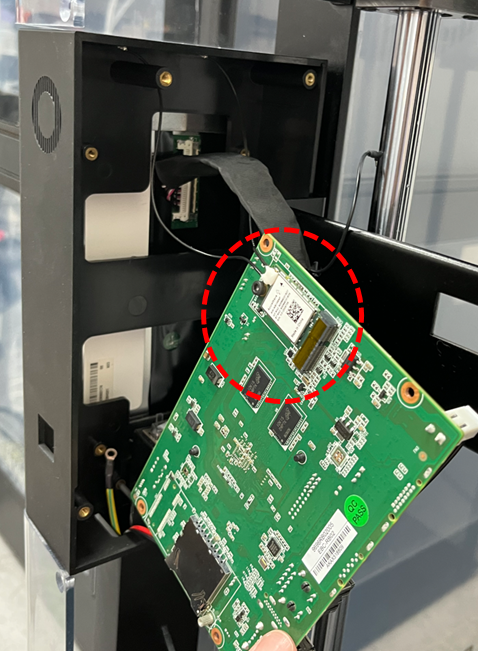
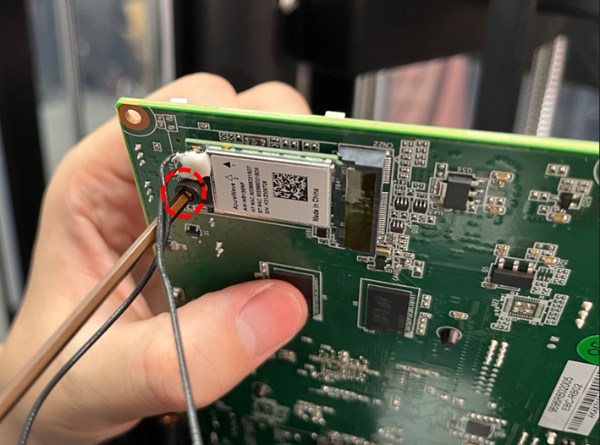
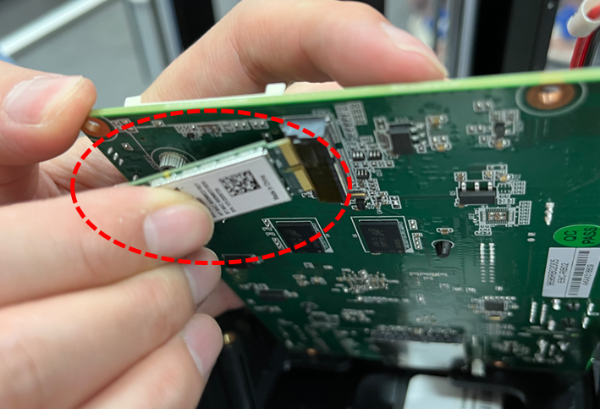
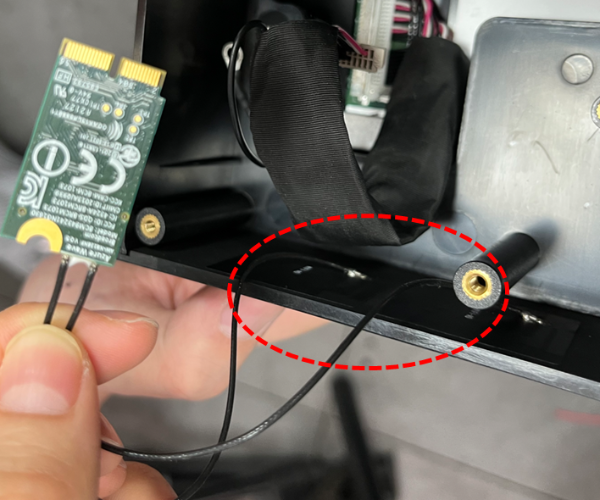
Figure 5 Remove the tape stuck on the screen box, and remove the Wifi module.
C.Install the Screen Box Assembly
1. Use a 2.5mm wrench to reinstall the 4 screws that affix the circuit board; press the buckle, and plug in the screen signal cable; install the cable connecting the rear cover of the screen box, as shown in the red circles.
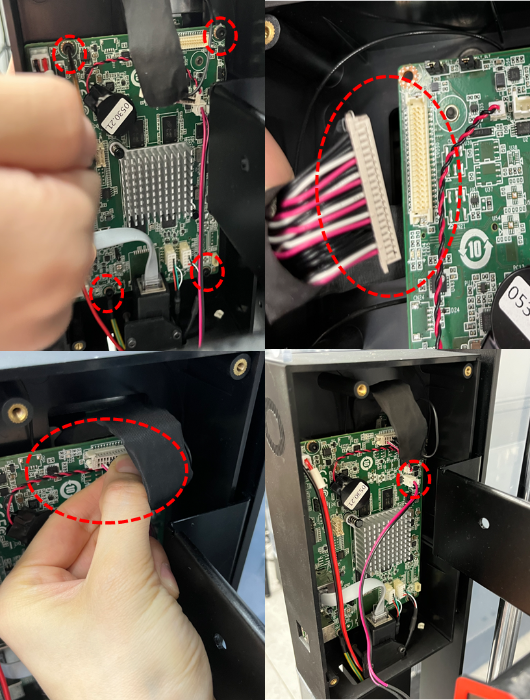
Figure 6 Fix the circuit board; plug in the screen signal cable; install the cable connecting the rear cover of the screen box.
2. Close the screen box cover, tighten the 4 screws on the screen box assembly with a 2mm wrench, and put the screen box assembly back in place.
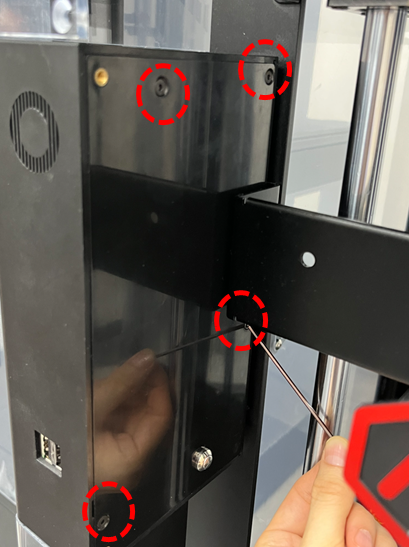
Figure 7 Put the screen box assembly back in place.
3. Use a 2mm wrench to install the 4 screws on the door frame to install the door frame.
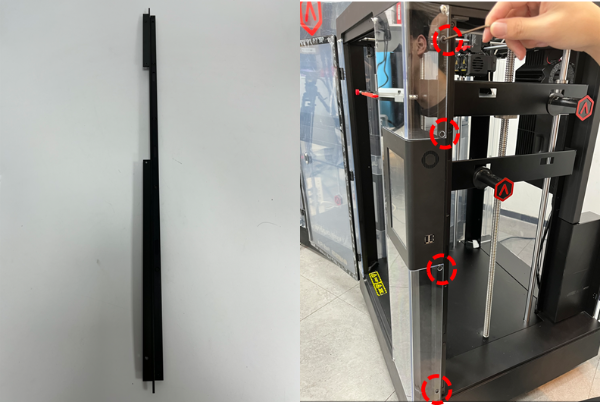
Figure 8 Install the door frame.
D.Power-on to Check If It Can Connect to The Wireless Network Normally
Power on to check if it can connect to the wireless network normally. If the wireless network can’t be connected, It suggests that the Wifi module has been removed correctly.

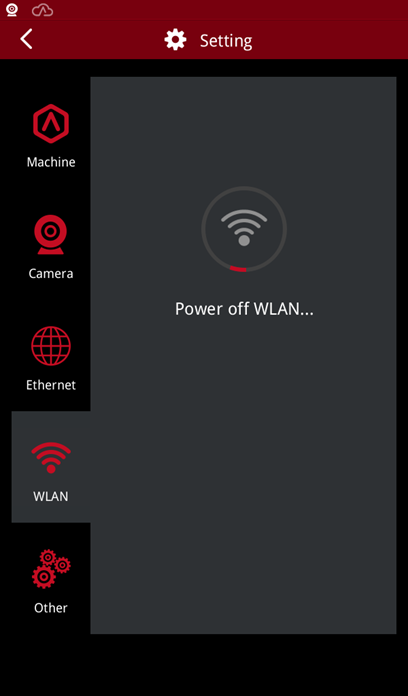
Figure 9 Power-on to Check If It Can Connect to The Wireless Network Normally.
[ 15.087-CN.1.0.20220711-Pro3 Series-How to Remove the Wifi Module]
-END-
