

The Report module allows a user to check statistics about printers, work orders and printing jobs.
Only information from the past 3 months will be available.
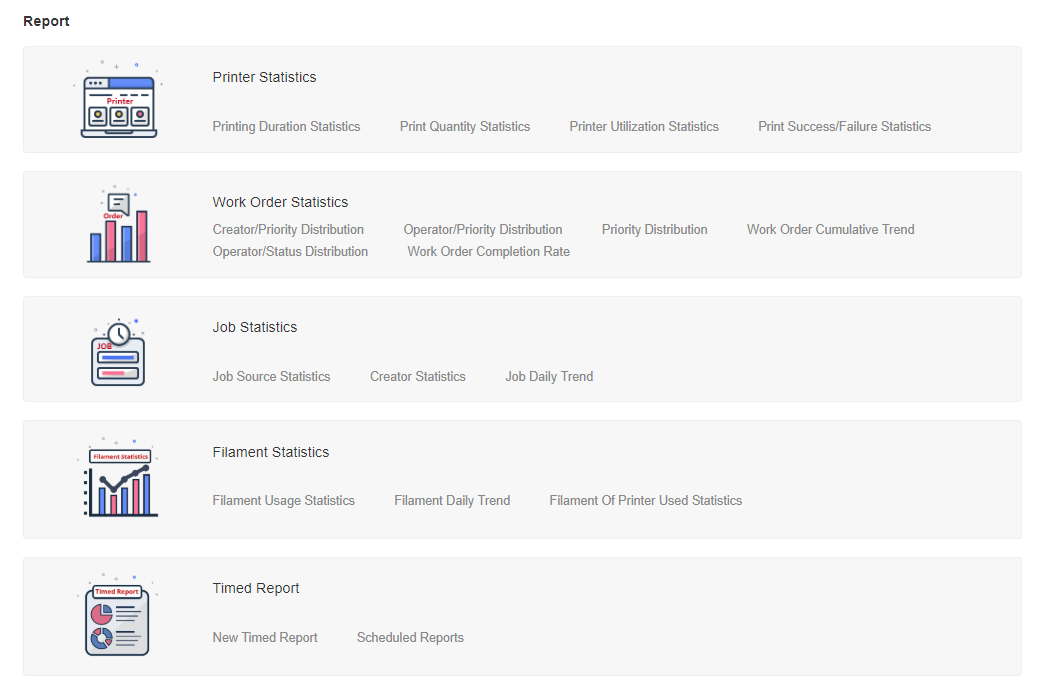
This part reports data related to printers including total printing time, quantity of prints, etc.
This part reports data related to work orders. User can check work orders by priority, creator
or operator.
This part reports data related to printing jobs, including source, creator, daily trend, etc.
This part reports data related to filament usage statistics, including type of filaments used, daily trend, etc.
System will send timed reports based on the frequency set by user in New Timed Report. User can check the timed reports in Scheduled Reports.
5.1 New Timed Report
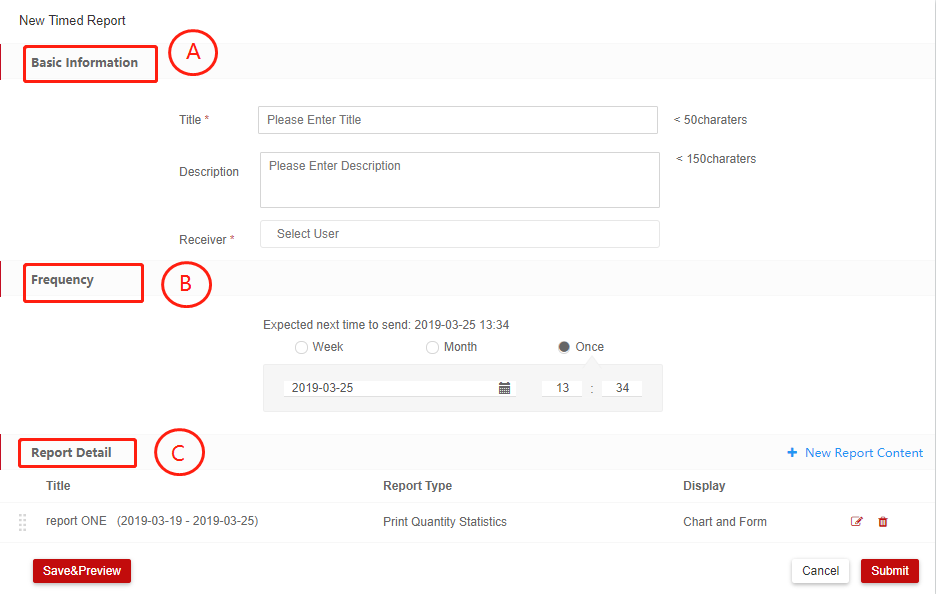
Basic Information – [A]
1. Enter title;
2. Enter Description;
3. Choose the member who will receive the report.
Frequency – [B]
1. User can choose every week, every month or send it to user at a specified date;
Report Detail - [C]
1. Click New Report Content;
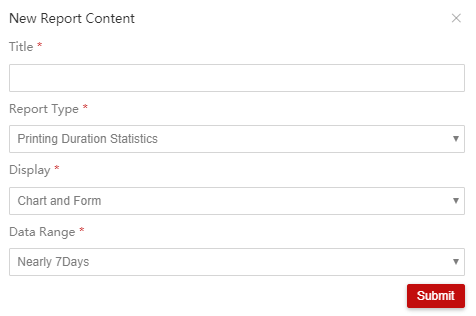
2. Input Title;
3. Choose report type;
4. Choose display chart or form, or both them;
5. Choose the data in specified time range.
5.2. Scheduled Reports
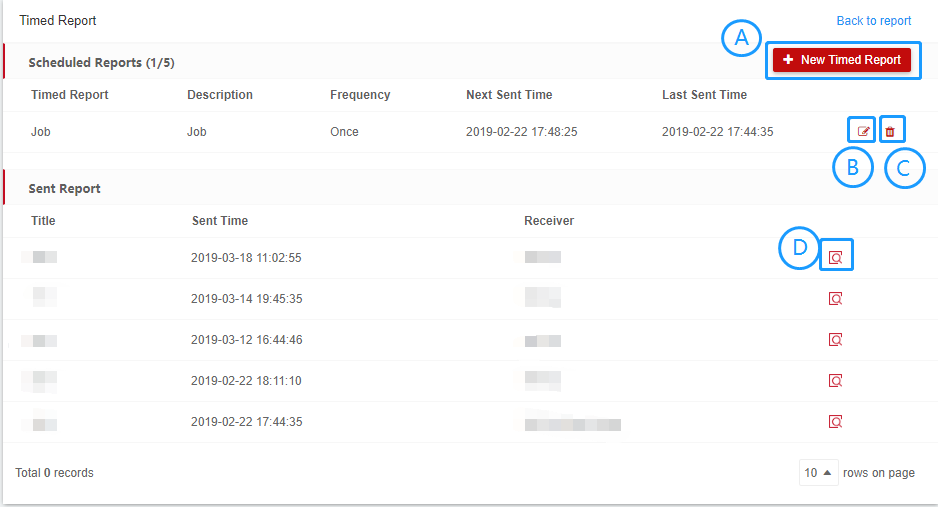
Add new timed report – [A]
Page will be turned to New Timed Report page;
Edit time report – [B]
1. Click edit report button;
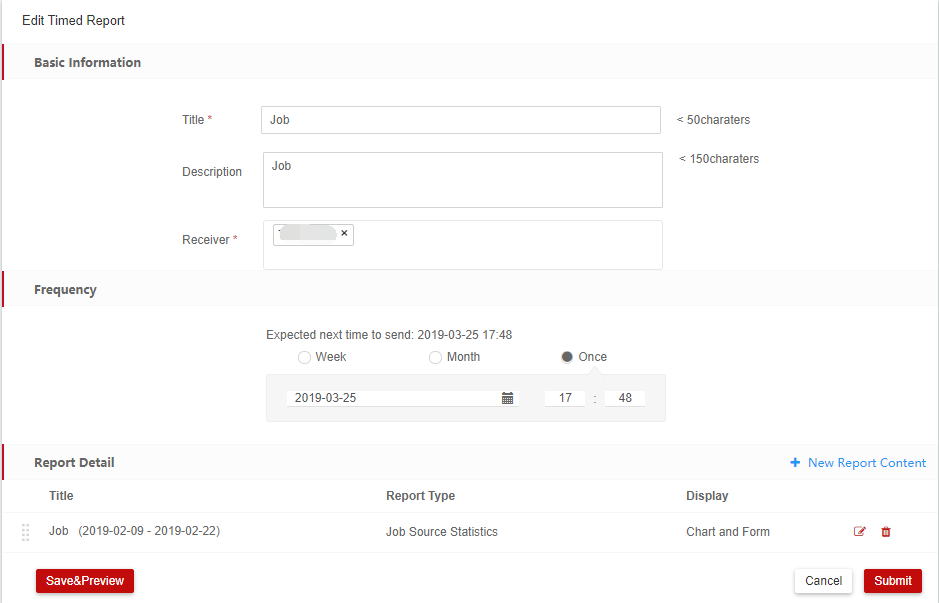
2.Edit timed report information.
Delete timed report – [C]
1. Click delete button
Check timed report – [D]
1. Click check button;
2. User can preview the timed report.
