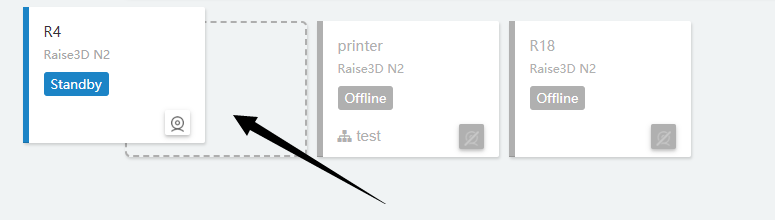
The Live Status Wall module allows user to monitor ongoing printing job and printer status. User can watch multiple printers live if cameras are equipped.
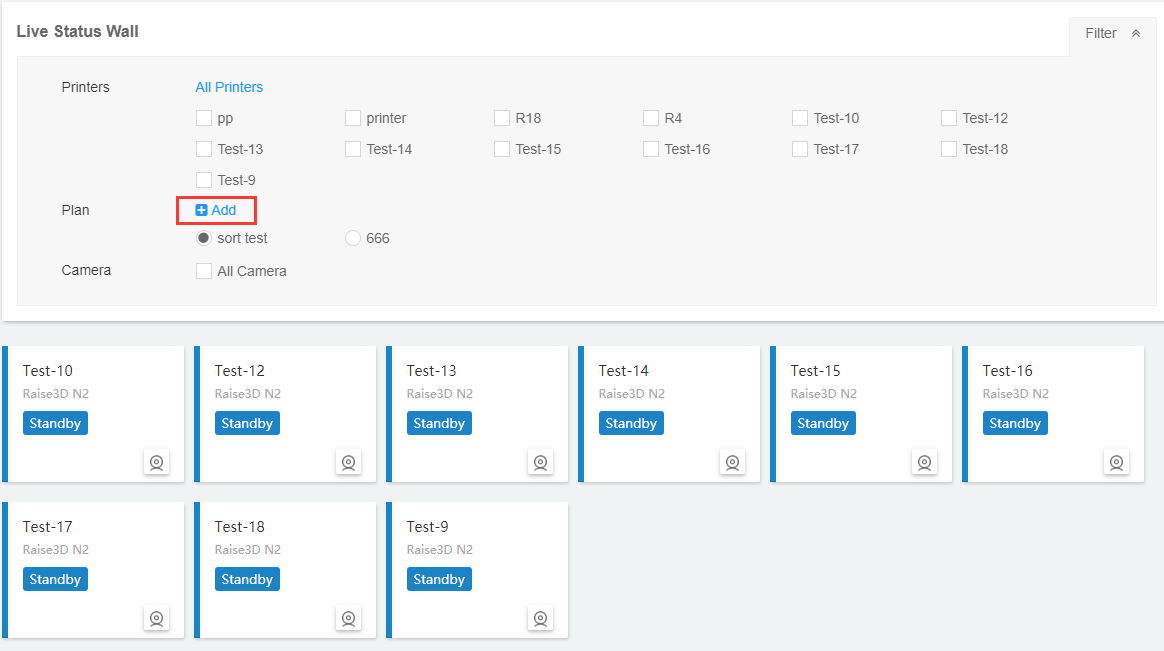
1. Click Filter button to edit monitoring plans;
2. Choose the printers that the user wants to monitor. All Printers option is also available;
3. Click Add, enter a name for the plan, select printers and confirm to create a monitoring plan with a distinctive feature.
4. Click on a plan and user can see the status of every printer within it. User can edit the plan aswell. To delete a plan, you can click .
5. If user want to visually see the printing progress of printer, you can click camera button to activate the camera view on the webpage.
User can drag printers to change its order in printer queue. This allows for personalized sorting.