

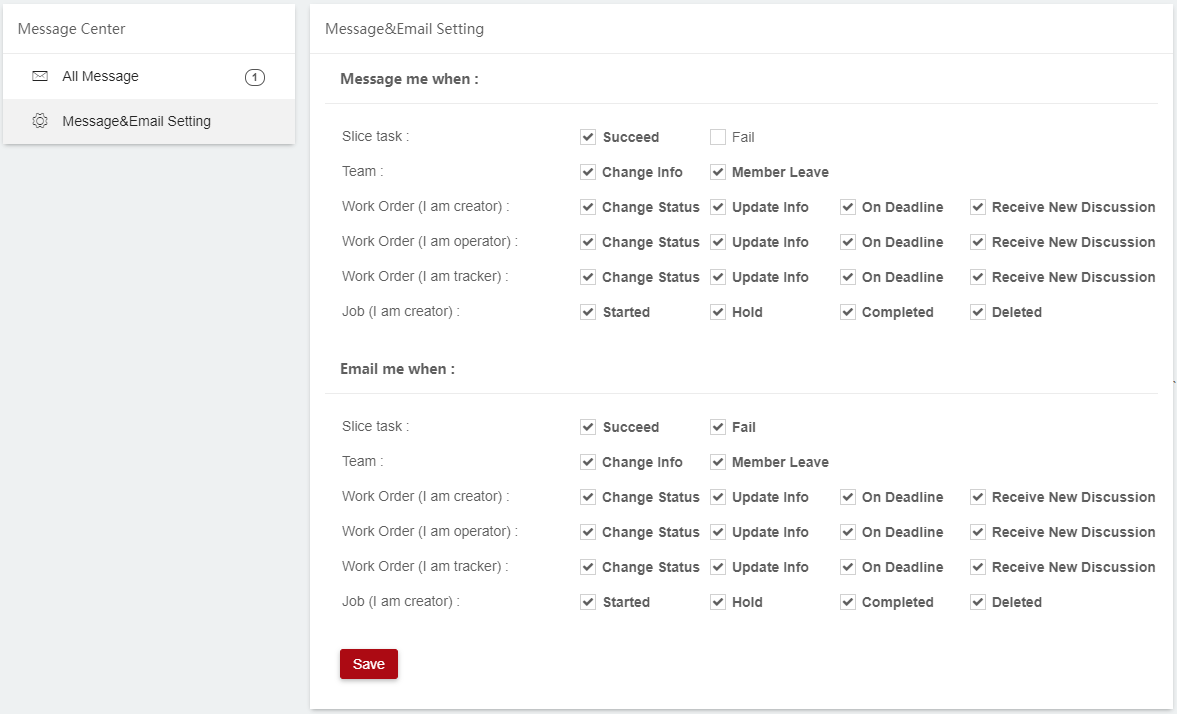
The Message & Email Setting module allows user to choose the type of notifications
He / She wants to receive:
1. Slice Task: Receive message/email notifications when slicing task succeeds or fails.
2. Team: Receive message/email notifications when team info changes or member leaves.
3. Work order (I am creator): Receive message/email notifications when Work Order info changes. (For creator use)
4. Work order (I am operator): Receive message/email notifications when Work Order info changes. (For operator use)
5. Work order (I am tracker): Receive message/email notifications when Work Order info changes. (For tracker use)
6. Job (I am creator): Receive message/email notifications when job status changes. (For creator use);
7. Printer (I am manager): Receive message/email notifications when printing job stays in done status for more than an hour. (For manager use);
1. Choose Message or Email as the notification method;
2. Click Save.
