

1. Download the Binding Key into a USB drive.
2. Insert the USB drive to a printer and enter machine settings.
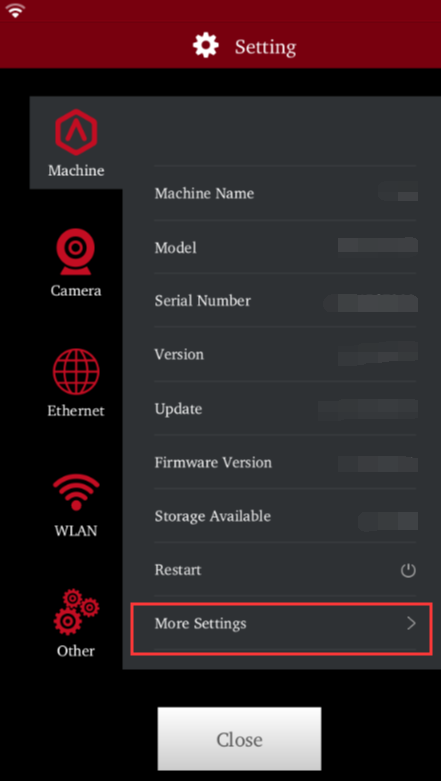
3. Click More Settings and find Raise Cloud in Not Binded status;
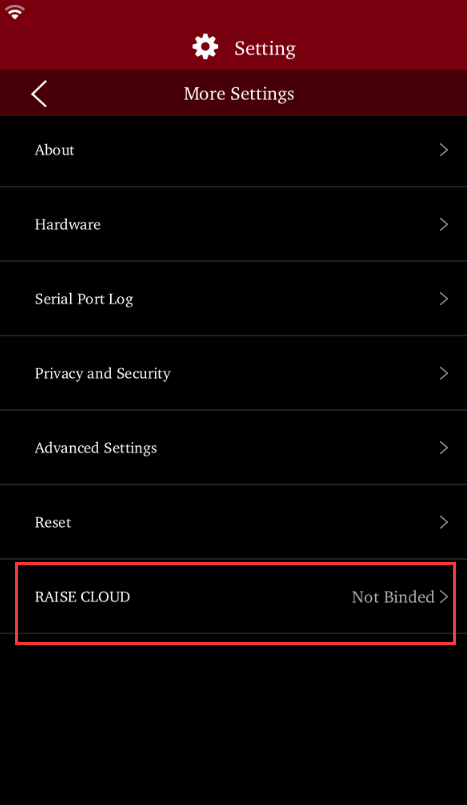
4. Click Bind with Binding key;
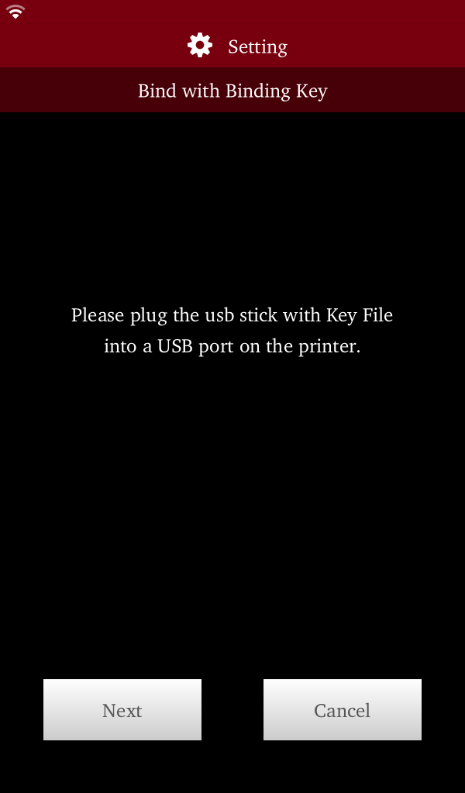
5. Click Next when the USB drive is identified. Team ID and account information will be shown on the screen.
