

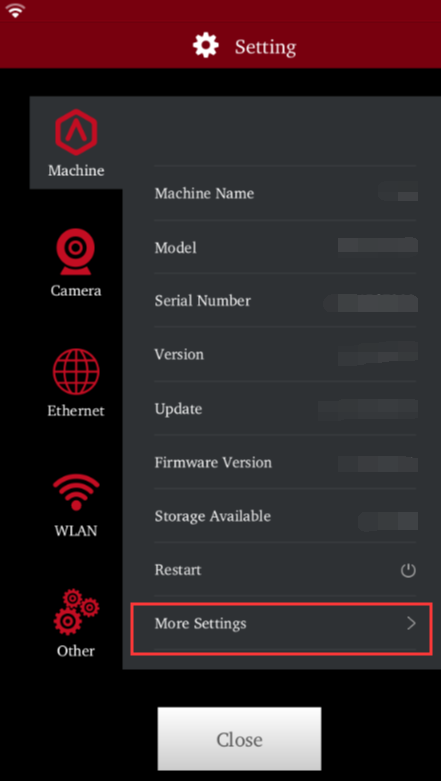
1. Tap on Settings (Gear icon) at the top right of the touchscreen. In the Machine tab, tap on More Settings;
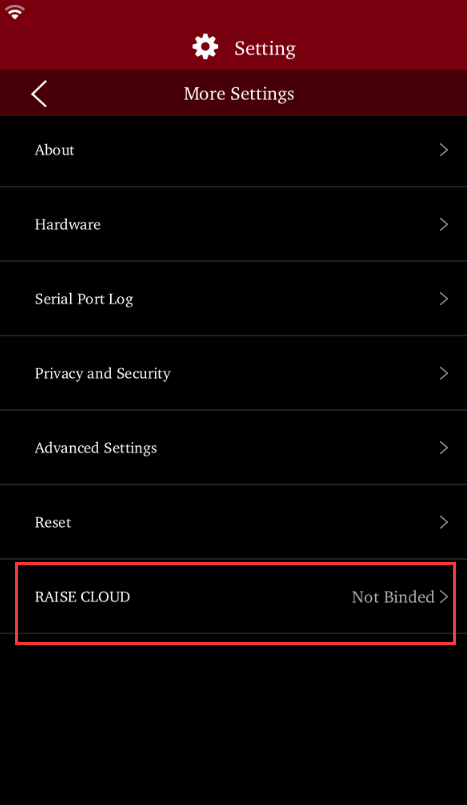
2. Tap on RaiseCloud;
3.Choose Bind with QR Code;
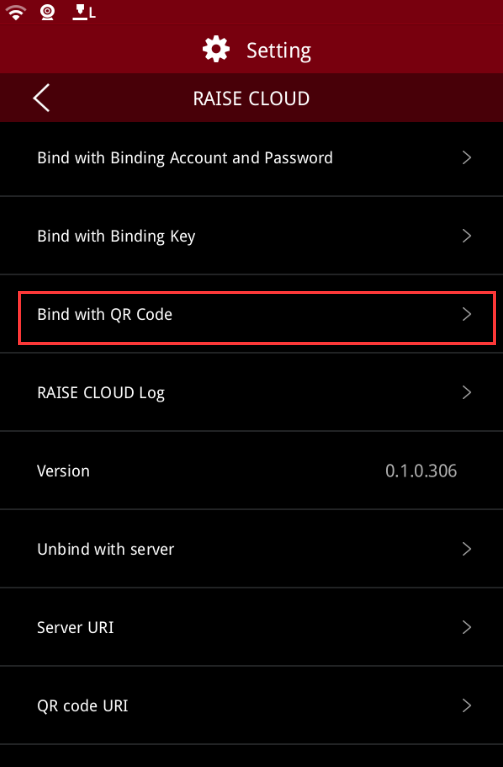
4.Then open the scanner in RaiseCloud APP on your mobile device, and scan the printer’s QR Code to bind printer.

