

The Printer Setting module allows users to edit the Groups and Visibility of printers. Users can also unbind printers on this page.
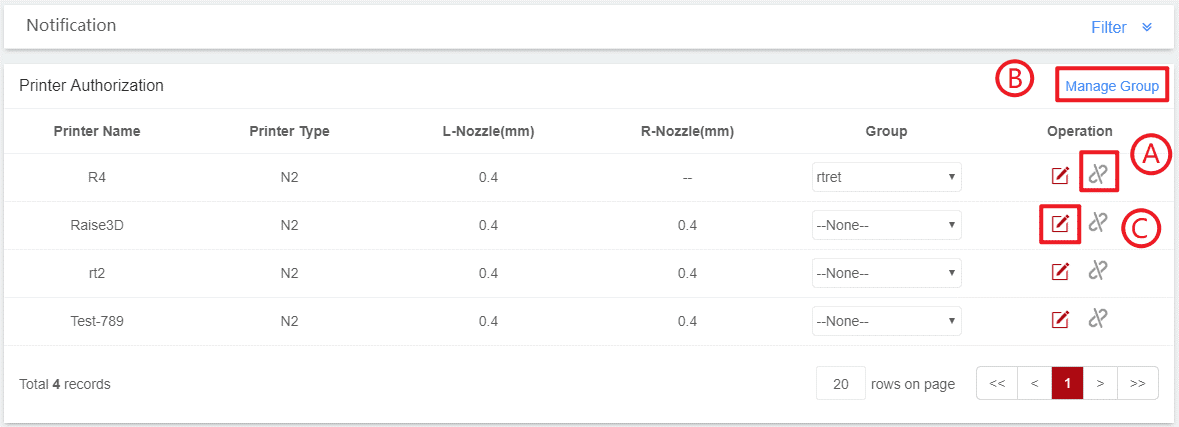
1. Click the Unbind button;
2. Click confirm and the printer will Unbind from RaiseCloud.
1. Click the +Add Group button;
2. Enter a group name, and click add;
3. Click the pencil button to edit the group. Click the trash bin button to delete the group.
Tips: To set the group for a printer, select a group from the dropdown box, as shown in the example below.

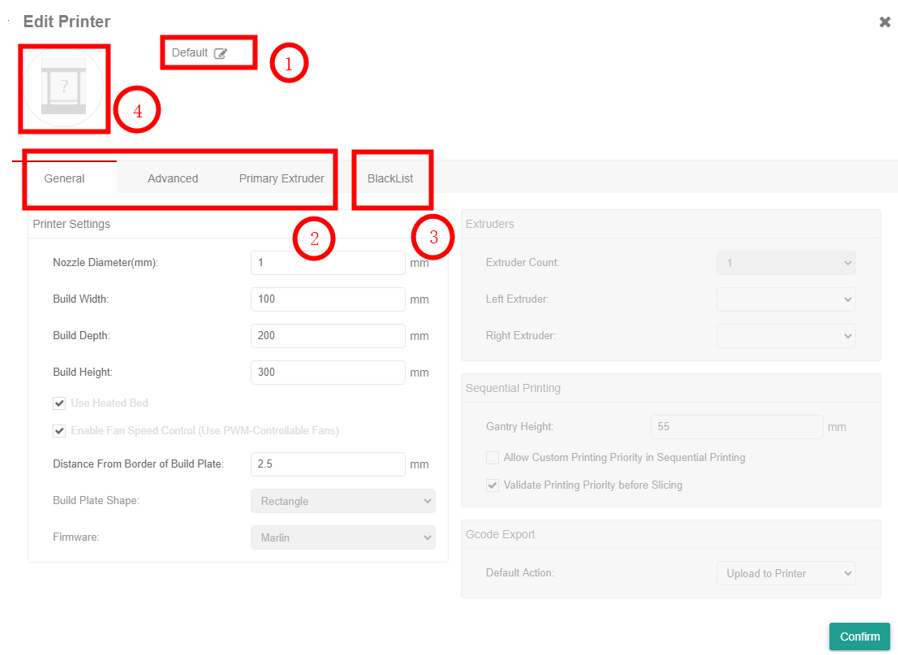
1. Click the edit button;
2. Enter the new printer name.
Users can set the parameter of each printer.
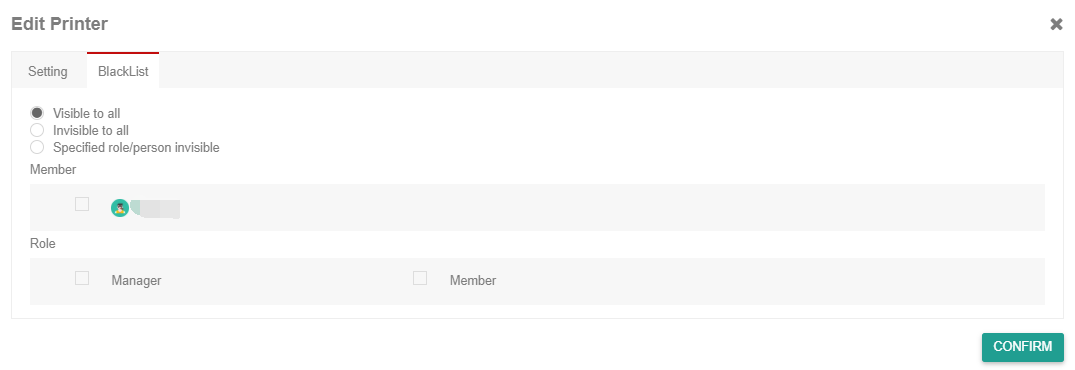
1. Select the “Setting” button;
2. Choose “Visible to all”. This setting makes this printer is visible to each team member;
3. Choose “Invisible to all” this setting makes this printer not accessible to every team member;
4. Choose “Specified role/person invisible” and select the specific team members this printer can be accessed by.
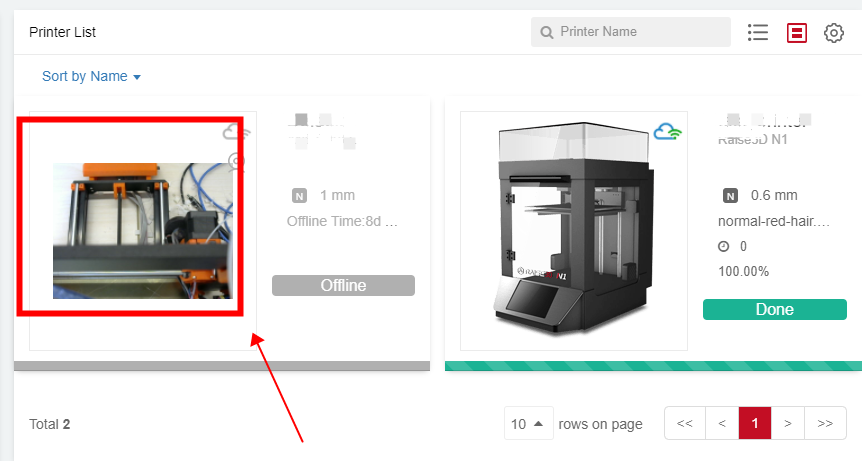
Users can replace the default printer picture with a customized picture by clicking the upload button, which is convenient for managing the printer.
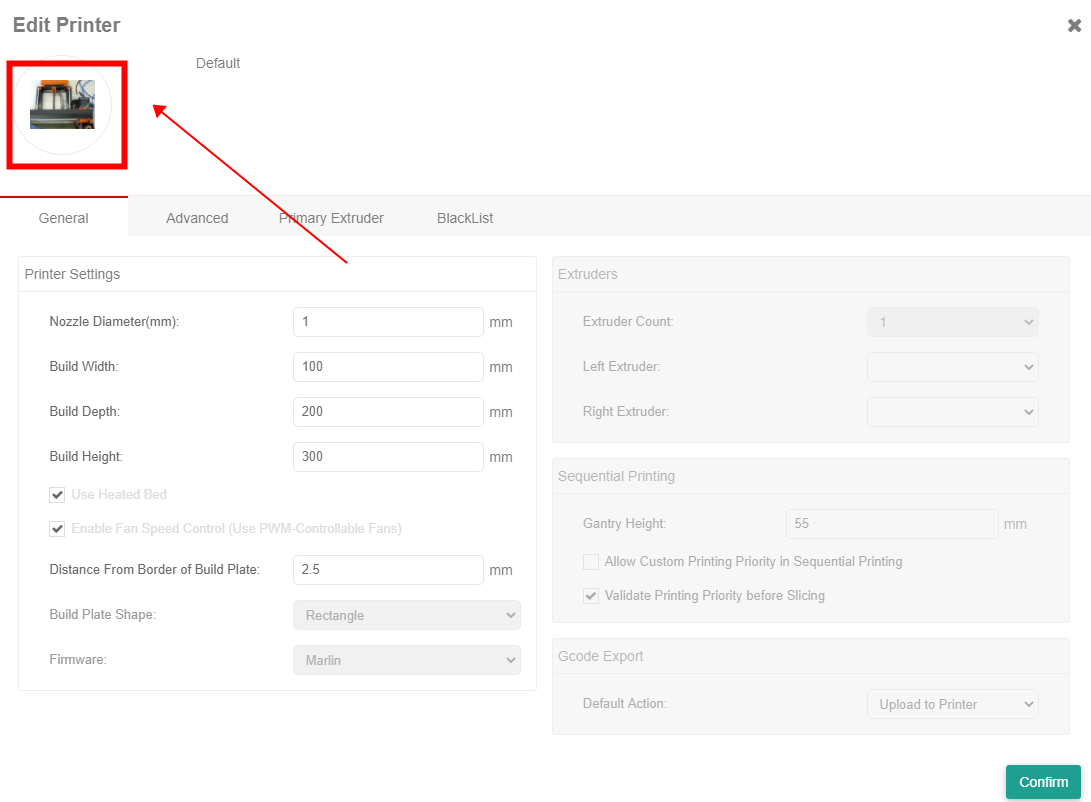
The customized picture of the printer will also be displayed in the printer list after users uploading this picture.
The system can send email notifications to chosen users regarding how long the printer has been in Offline, Error or Done and inform the user if the printer has been offline for a few hours, days, or longer. Users are also able to turn on or off email alerts to alert them if the machine goes into Offline, Error or Done.
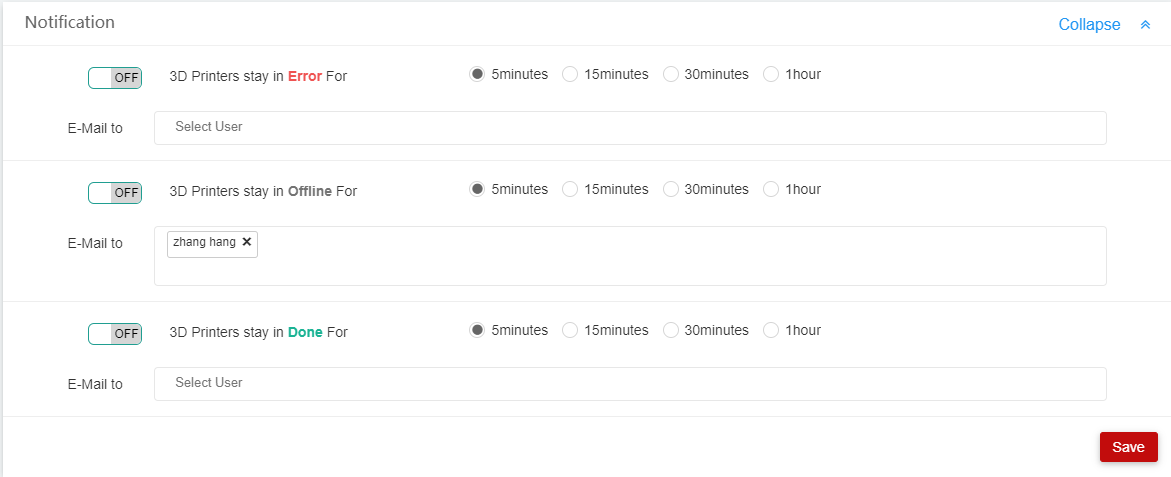
1. Turn on button
2 Users can select how long they would like the RaiseCloud to wait before telling them the printer is in Offline, Error or Done.
3.Select the user which should be notified.
