

The 3D Printer module is designed to manage all printers in the team. User can check the details of the bound printers and control them remotely.
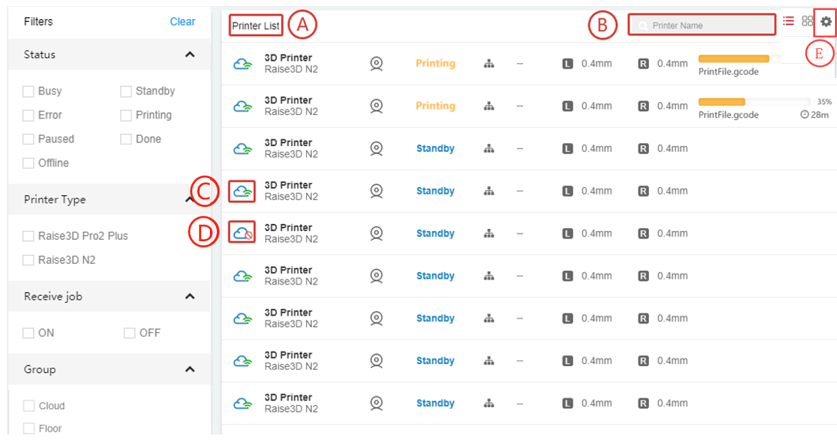
When the number of user printers is less than 4, the printer page will be displayed in Simple Mode.
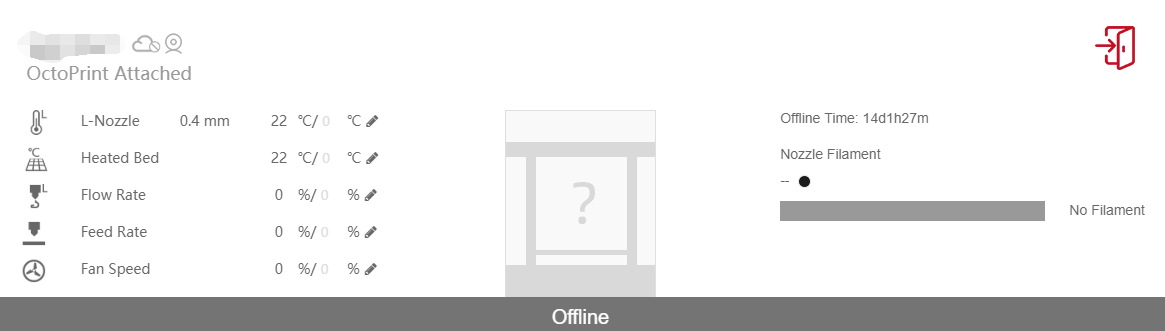
This part allows user to check the model, status, group and other related information about the 3D printers in the team.
This part allows user to filter the printers in the team with desired conditions. Click Clear button to remove the selected conditions.
Machine will receive job from Cloud when user turn OFF [D]to C [ON].
User can monitor printer by Popup View, click camera button
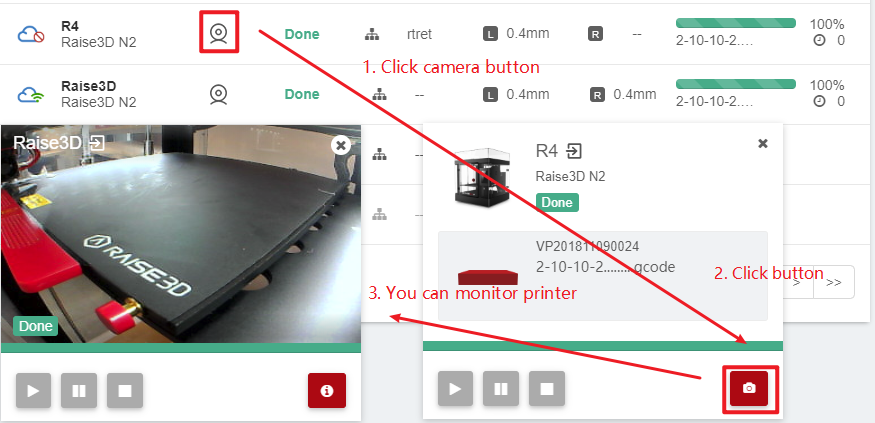
1. By clicking the camera button, users can monitor printers with Popup View.
2. Click the red button below
3. Users can remotely monitor the printer
