

The slicing profile module is used to create and store users’ slice profile or filament settings. Users can set different slice profile for different slice models. Let's take a look at the various functions of this module.
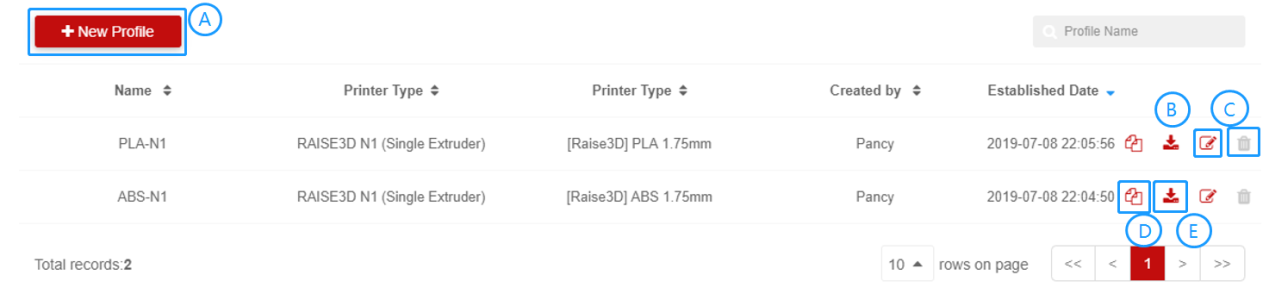
1.Create a Slice Profile – [A]
1). Click + New Profile to create a new template. When the user chooses to upload the Bin file, RaiseCloud will recognize the Bin file parameters and automatically fill them in. When users choose manual setting, they can manually set the slice profile parameters;
2). Enter the profile creation page;
3). Set all parameter values you want to modify. Note: You cannot enter the name of a profile that already exists.
4). Click Save.
1). Select the slice profile you want to edit and click the edit  button on the back ;
2). Modify the parameter on the editing page;
3). Click Confirm.
1). Select the slice profile you want to delete and click the delete button on the back ;
2). Click Confirm.
Note: Profiles not created by yourself cannot be deleted, as shown by the gray icons in the figure.
1). Click the Copy  button ;
2). Edit the data that needs to be modified;
3). Click Confirm.
Click the export  button .
