

The My Slicing Profile module shows all of the saved slicing profiles.
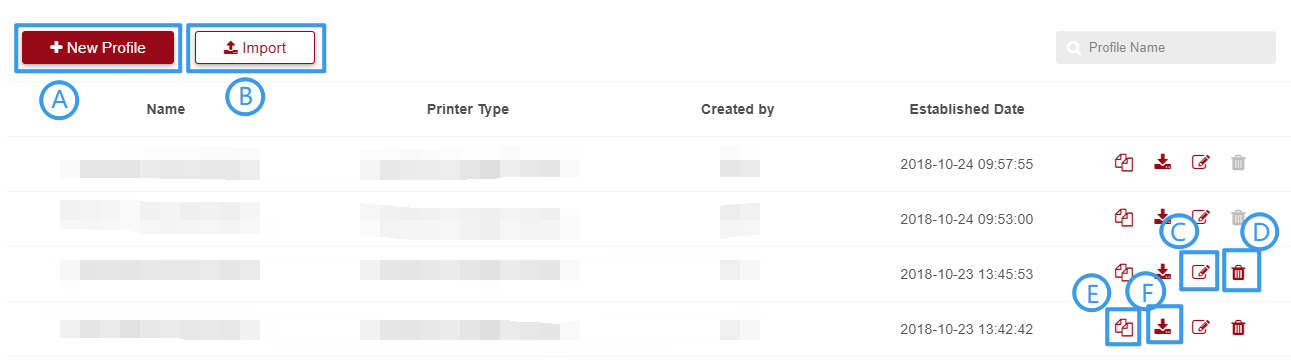
1. Click + New profile button;
2. Set data;
3. Click Save.
1. Click import button;
2. Choose BIN file;
3. Click Confirm.
1. Click edit button;
2. Modify data;
3. Click Confirm.
1. Choose profile which you want to Delete, then click ;
2. Click Confirm.
Tip: User can’t Delete profile when he / she is not creator.
1. Click copy button ;
2. User can edit the profile with previous data.
1. Choose profile which you want to download, then click ;
2. Download successfully.
