

The Time Lapse module stores recorded clips of printing for printers with camera enabled.
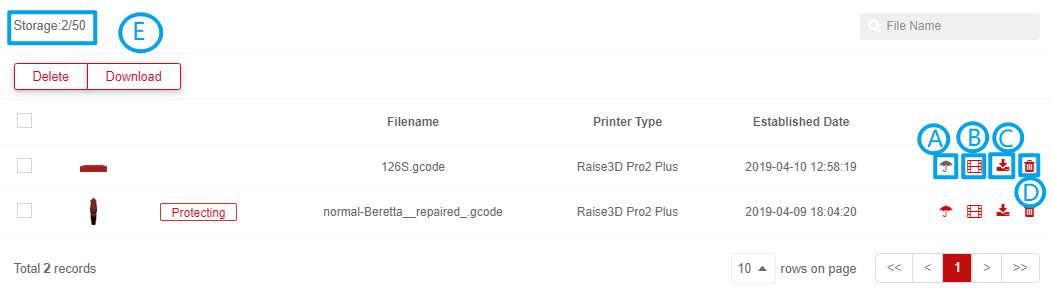
User can click protect button to avoid removing automatically which is caused by full storage.
User can click button to Watch the time lapse.
Choose Time-Lapse and click download button.
User can click button to Delete the time lapse.
RaiseCloud stores the 50 most recently recorded time lapse files, if a user wants to check how many recordings have been stored, you can check number on top left corner, left is used number, right is amount allowed.
Example: 26/50 – 26 have been stored of 50 allowed.
