

The Team Info module allows the user to check team information. The Team Owner can edit the information or transfer ownership to another team member.
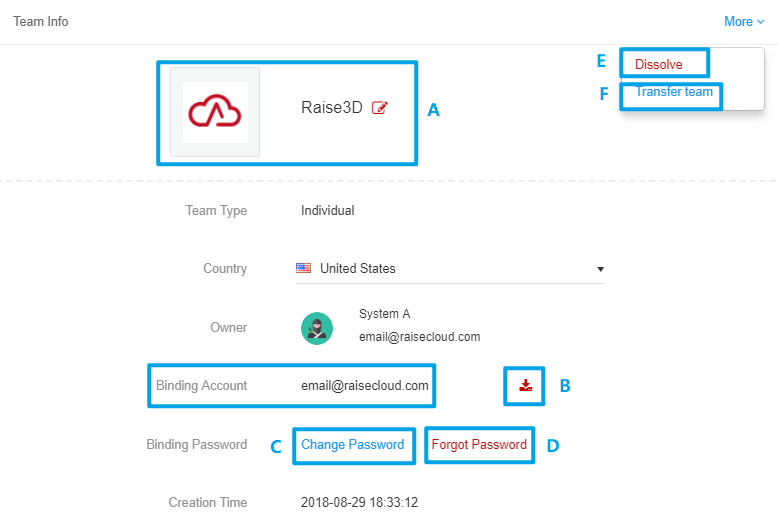
1. Click Upload button;
2. Choose your logo in popup window.
Binding Key is another way to Bind a printer. Click  button to download the Binding Key and copy it to a USB drive, connect it to a printer and restart the printer.
1. Click  button to Edit password;
2. Input Original password, then New Password & Confirm New Password;
3. Click Save.
1. Click Forget password button to send reset email;
2. Enter password;
3. Click Save.
Click  button to dismiss the team. All team information, files and bound printers will be deleted. Please be careful with this feature.
Team Owner can transfer the ownership to another team member. However, if the other team member already created / owns a team, the transfer cannot happen.
1. Click Transfer Team button;
2. Choose Member in popup window;
3. Click Confirm.
User can only create one team but can join as many teams as he/she wants. To switch current team
Click the top left corner button and choose the desired team.
