

User must create a Team or join a Team if they want to operate all module in system.
The system allows a user to Create one team.
User can create a new team when they are registered.
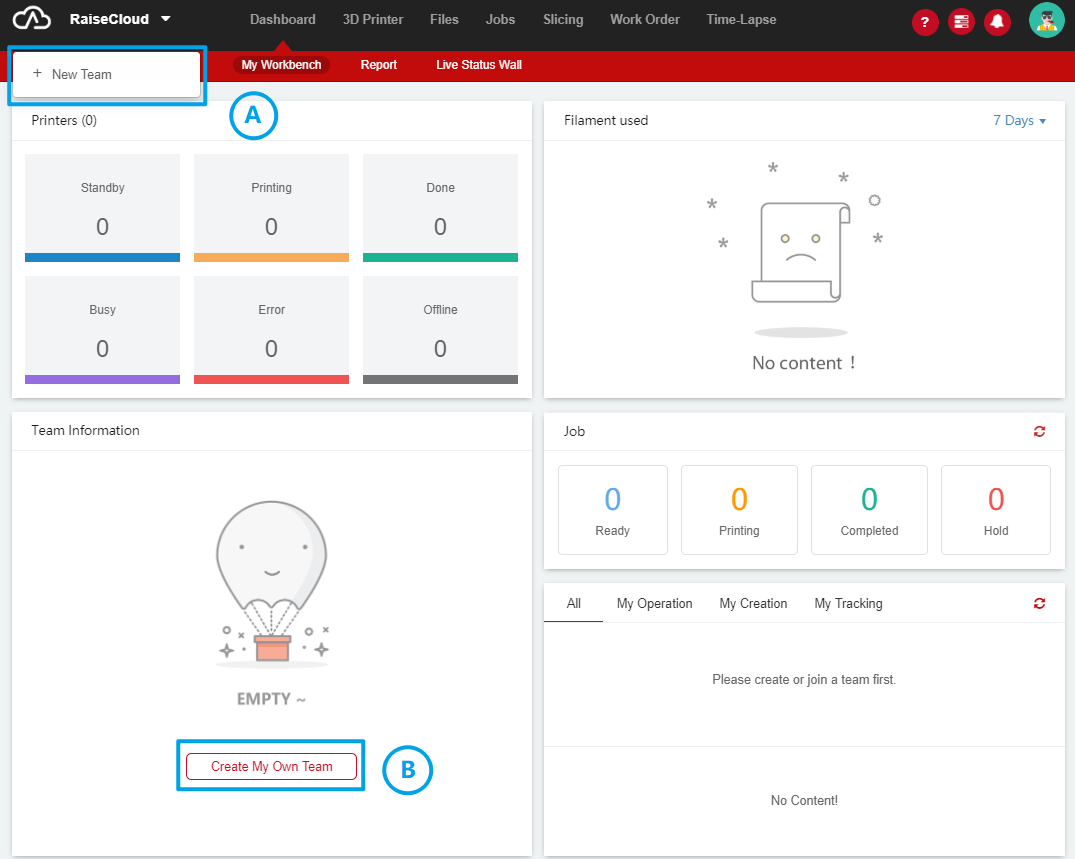
1. There are two ways to create a team, Click + New Team button (A) or click Create My Own Team button (B), then they can create a new team;
2. Choose Individual or Company;
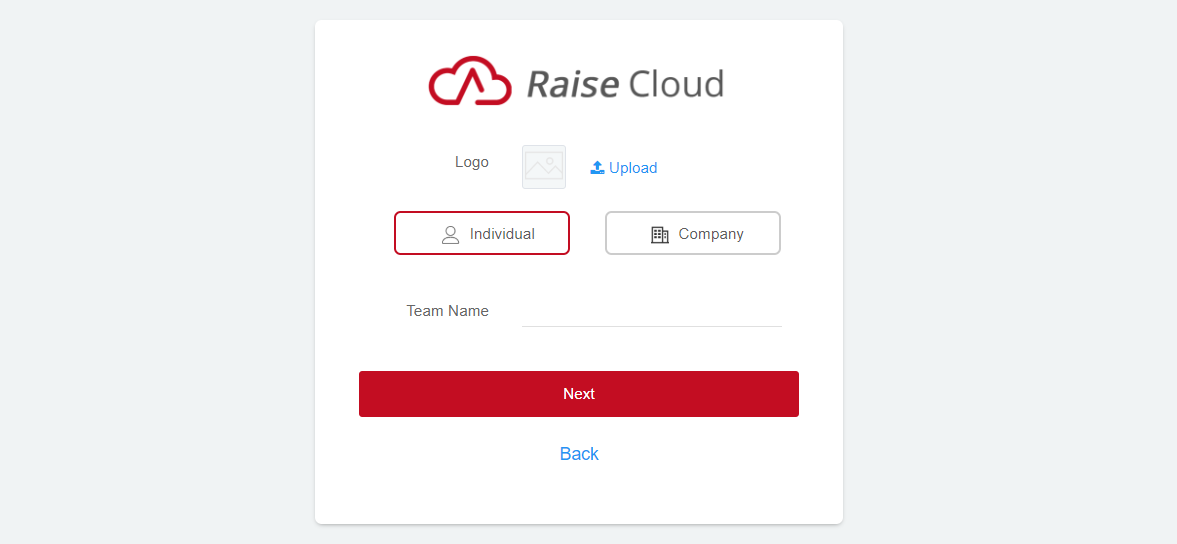
3. User can choose to upload team logo;
4. Enter Team Name. (Name can be changed later);
5. Enter Company / Industry;
6. Enter the Email address used as the bind account. This account can be used to bind printers in a WIFI environment. This account cannot be changed later.
7. Enter the Password, it can be changed after you finished creating team;
