

Click “Local Storage” to enter the print file interface, and click the “Edit” button in the upper right corner to manage files.
Add: Click Add to create a new folder.
Copy: Select a file to be copied and click Copy to copy the file to another folder.
Move: Select a file you want to move and click Move to move the file to another folder.
Rename: Rename the selected file.
Delete: Delete the selected file.
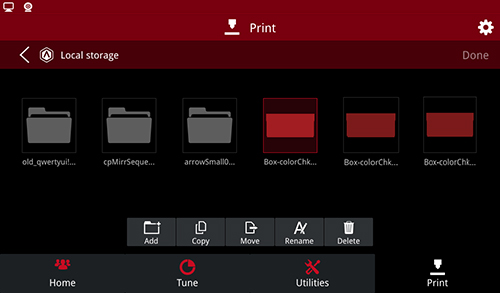
Files Management
File Sort: click the sort button in the upper right corner to sort the printed files in the following ways.
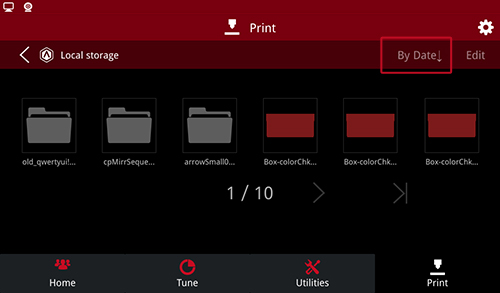
File Sort
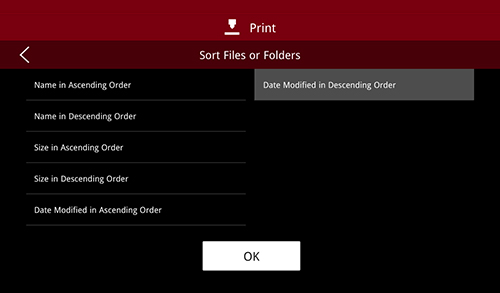
Sort Files or Folders
File Export: select the file and click export to export the file.
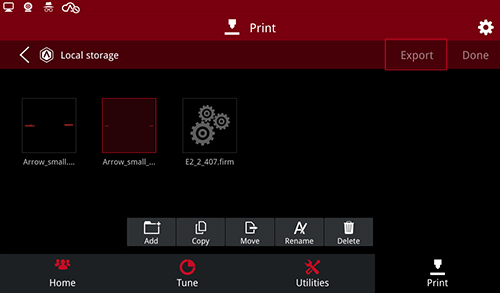
File Export
Note: this function needs to be enabled under “Setting > Privacy and Security > Enable Exporting Local Files to External Storage”.
-END-
