

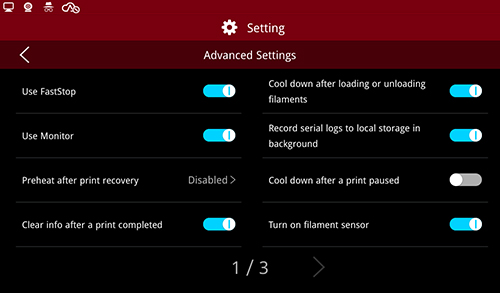

Advanced Settings
(1) Use Monitor
Enable the “Use Monitor” function to monitor the printer's running time and other states, in order to facilitate the analysis of the reasons when problems occur.
(2) Preheat After Print Recovery
After a power loss if you want to recover or restart the print job, the nozzle will heat up automatically first, then move to avoid the nozzle sticking to the model (which may cause model floating).
(3) Clear info after a print completed
Enable Clear info after the print is completed allowing the information about the last model to be cleared.
(4) Cool down after loading or unloading filaments
Enable Cool down after loading or unloading filaments and the nozzles will cool down automatically.
(5) Record serial logs to local storage in background
Serial logs can be recorded to local storage when enabling this function.
(6) Cool down after a print paused
In this function, after the printing is suspended, the nozzle will cool automatically.
(7) Turn on filament sensor
In this function, the detection sensor will be activated, and the printing will be suspended after the shortage of filaments is detected, and the following window will appear:

Fractured Filament Detected
(8) Lift nozzle to specified Z axis height after printing stops
As the print is stopped, the nozzle will be lifted to the specified Z axis height.
(9) Lift nozzle to specified Z axis height upon completion of printing.
As the print is completed, the nozzle will be lifted to the specified z axis height.
(10) Load/Unload Timeout
Turn on the Load/Unload Timeout, If the Load/Unload continues, the printer will automatically stop the Load/Unload after the specified timeout. The Load/Unload Timeout setting is closed by default. The default time after opening is 10 minutes.
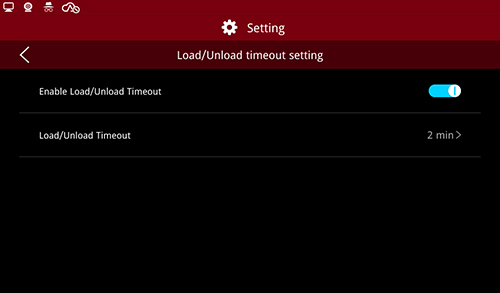
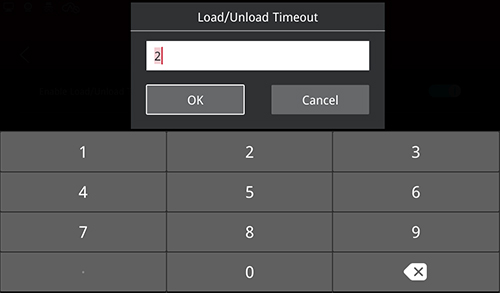
Load/Unload Timeout
(11) Raise the Z-axis after resuming from a power loss or pausing a print
Lift Z axis 2 mm during power loss, pause and printing restart to prevent scraping down model.
(12) Raise the Z-axis to a defined position after a print is paused
After this function is turned on, when the print is suspended, the printer will lift the Z axis to the specified position to facilitate the load/unload or picking up parts.
(13) Raise the Z-axis to the specified height when loading and unloading
Lift the nozzle when loading and unloading the filaments to facilitate the reloading.
(14) Power Saving Button
Click to enter the power saving interface, select the function controlled by the power saving button.
Short Press to Turn off the Screen: Press the button to turn off the screen;
Short Press to Turn off the LED lights: Click to turn off the LED lights;
Press and Hold for 10 Seconds to Restart the Printer: Press and hold the power saving button for 10 seconds, the machine will restart automatically
(15) Power Saving Mode
Turn on power saving mode, you can select time. when the print is in idle state, the power saving operation set by the energy saving button will be triggered after holding the set time, and the LED lighting and the screen will be turned off by default.
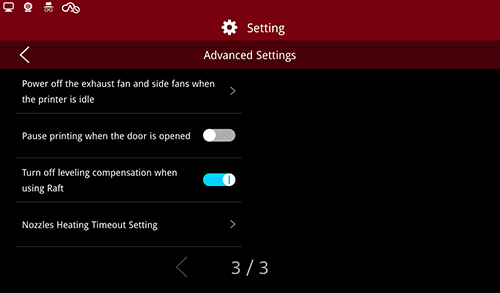
(16) Power off the exhaust fan and side fans when the printer is idle
Turn on this function, in the idle state, after a configured timeout, the printer will turn off the filter fan.
(17) Pause Printing when the door is opened
After turning on this function, the printer will pause the printing task when the top cover or front door is opened during printing. When the door is closed, the print task is automatically restored.
Note: this feature is closed by default.
(18) Turn off levelling compensation when using Raft
if the print file is detected to contain Raft file when printing, levelling compensation will not be used in printing.
(19) Nozzle Heating Timeout Setting
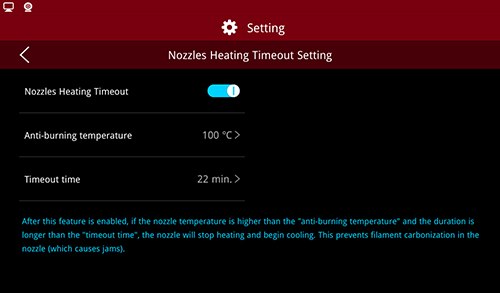
Nozzle Heating Timeout Setting
After opening this function, when the printer is in idle state, if the nozzle temperature continues to become higher than the anti-dry burning temperature, after exceeding the set time-out time, the nozzle will stop heating and cool down to prevent the filament carbonization in the nozzle from causing the jam.
-END-
