

In this page, you can restore the printer's relevant information and parameters.
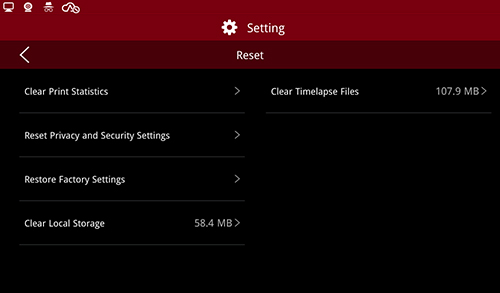
Reset
(1) Clear Print Statistics
Under this function, the printer will remove all print information.
(2) Reset Privacy and Security Settings
Under this function, the printer will reset privacy and security to the default settings.
(3) Restore Factory Settings
The following settings will be affected after restore factory settings:
a. Reset network settings, including Ethernet and WIFI config.
b. Clear all the personal settings, including machine name, language, number of nozzles, screen brightness, time zone & time and settings under More settings - Hardware, More Settings - Advanced settings.
c. Clear all the print records in Dashboard.
d. Reset all the information inside privacy security as mentioned above.
e. Clear all the files inside local storage.
f. Clear all the dump files saved for power loss.
(4) Clear Local Storage
To empty the local files, please clear all the local files under Settings >Machine >Reset.
(5) Clear Time-lapse Files
To clear the Time-lapse files, please click Settings >Machine>Reset to clear Time-lapse files.
-END-
