

Sequential print mode allows the printing of multiple objects individually in a particular order.
In Sequential mode, the Home tab will display:
The name of the print file, the total print time for the task (all objects on the bed), the current completion percentage of the total print task, and the layer height for the current model.
Press “...” in the centre of the Home menu to open the “All Objects” list and view the progress for each object.
Note: Sequential Print can only be enabled when slicing with ideaMaker 3.4.0 or higher.
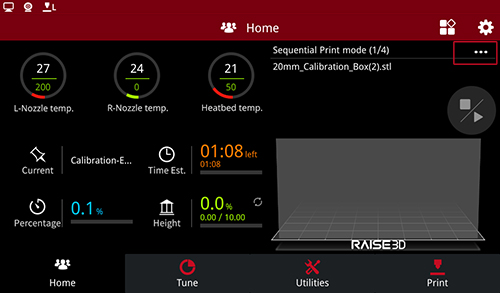
Sequential Print Mode
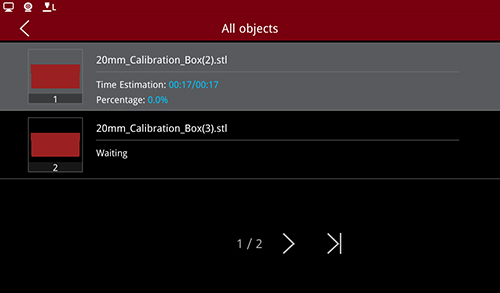
Print Model List
-END-
