

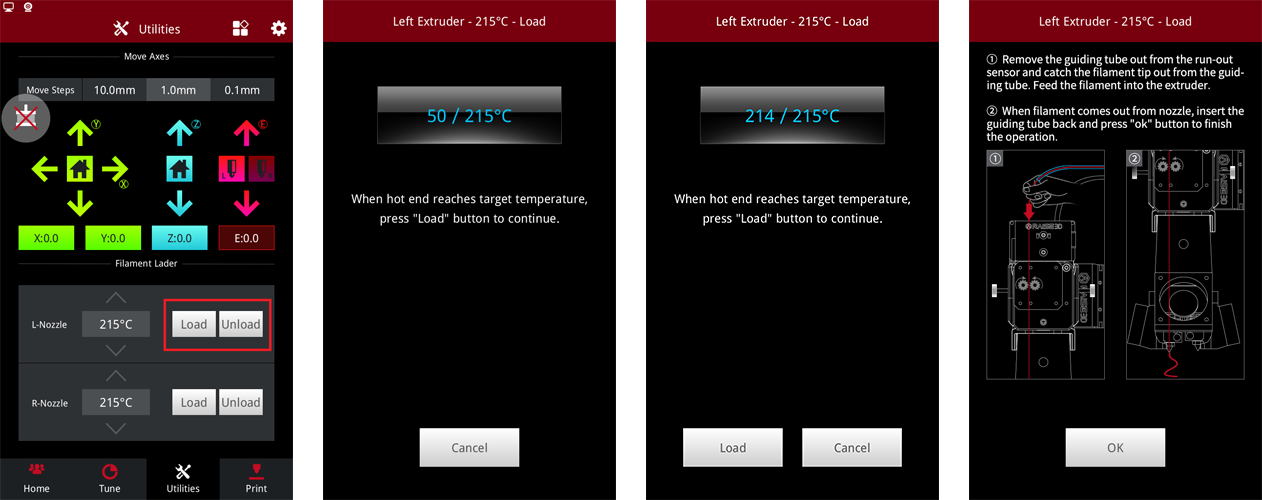
Click the "load" button to enter the nozzle preheating interface. Click the "load" button when the temperature of the nozzle reaches the set temperature, and the system will start to load automatically. Click OK to finish loading.
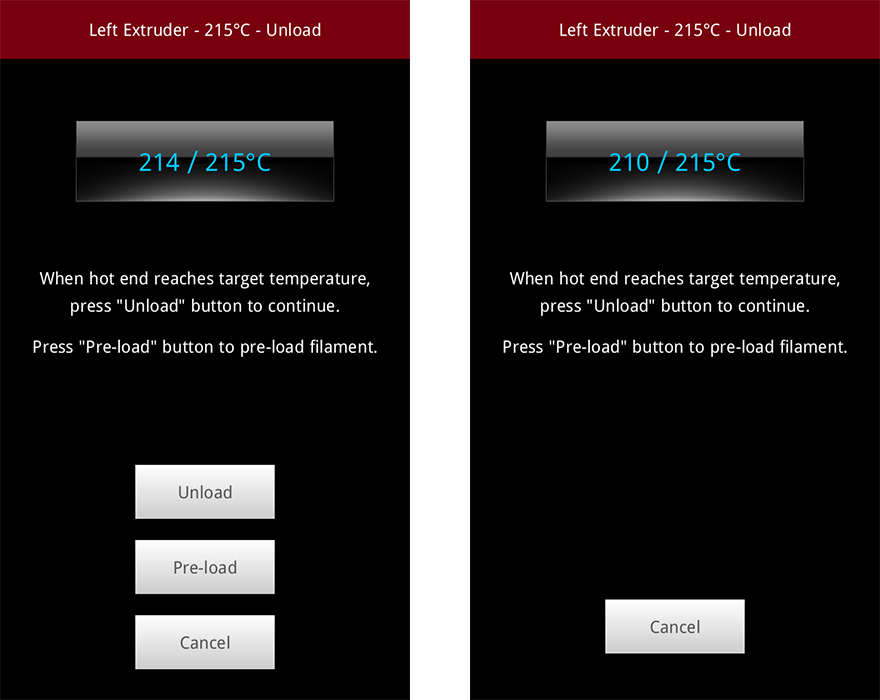
Click the unload button to enter the nozzle preheating interface. When the temperature of the nozzle reaches the set temperature, two new buttons are added, respectively, "Unload" and "Pre-load".
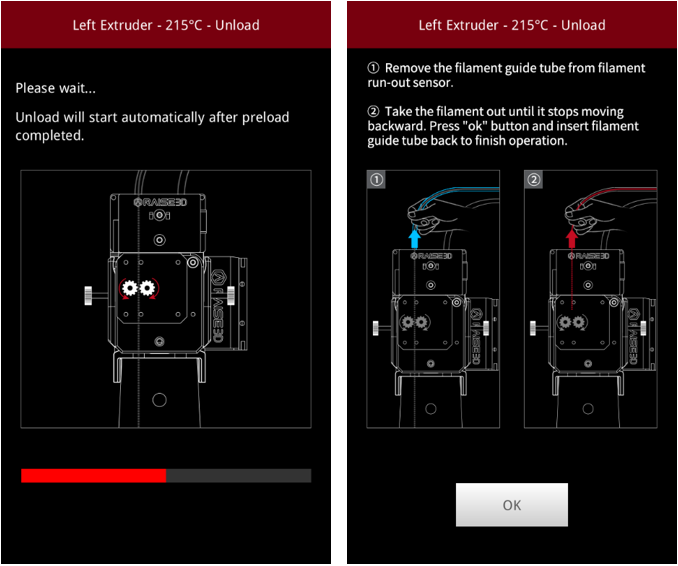
Click the "pre-load" button, and the printer will automatically pre-load the filament, which also shows the progress of the pre-load. When the pre-load is finished, the printer will begin to unload the material automatically. Click "OK" to finish unloading.
Note: Pro2 series machine needs Pre-load in order to prevent clogging.
 :Load or Unload manually.
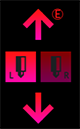 :If the machine is a dual-nozzles machine, click the left and right nozzle to switch the nozzles.
-END-
