

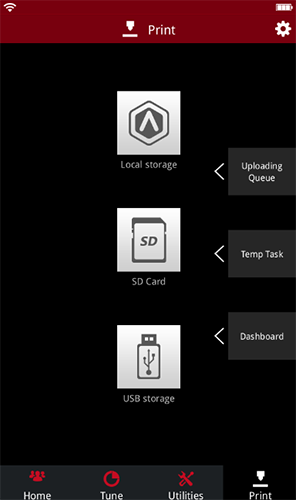
The print interface provides users with the function of viewing historical records and files, which is convenient for viewing the upload file queue, temporary task and printing task statistical table.
You can print in three ways below: local storage, SD card and USB. Find the file you want to print in local storage, select and print. Files can also be found in inserted SD card and USB.
Note: Only N1, N2, and N2 Plus machine support SD Card usage.
END
