

The detection time starts with clicking "Load" or "Unload" after the temperature of the nozzle has reached the set temperature. The printer will stop automatically within the set time.
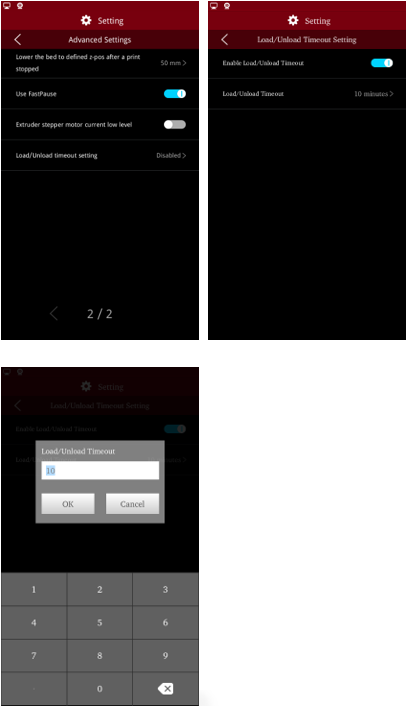
Note: The load/unload time out setting is disabled by default.
-END-
