

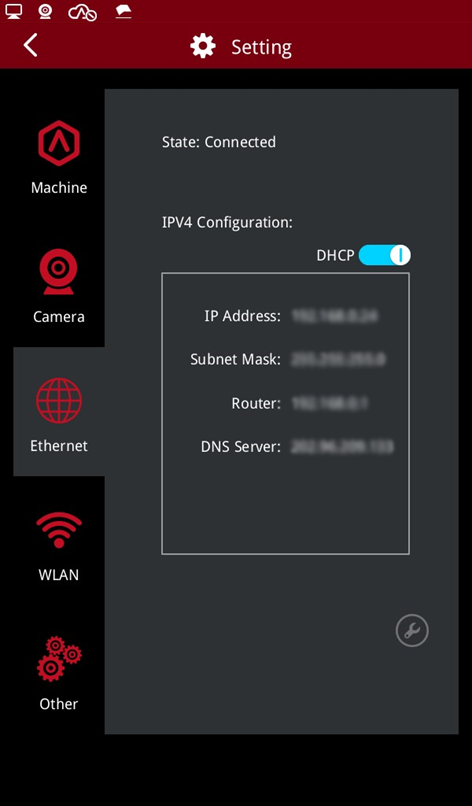
IPV4 Configuration: This function is enabled by default and the printer will automatically configure the IP address, subnet mask, router, and DNS server.
You can upload files via an Ethernet connection based on the printer's IP address, making sure the printer and your computer are on the same LAN.
If you want to set up information such as the IP address yourself, first turn off the DHCP protocol (turn off the switch of "DHCP"), enter the IP address and other information, and then tap "Confirm."
Tap the tool icon  to view the advanced settings.
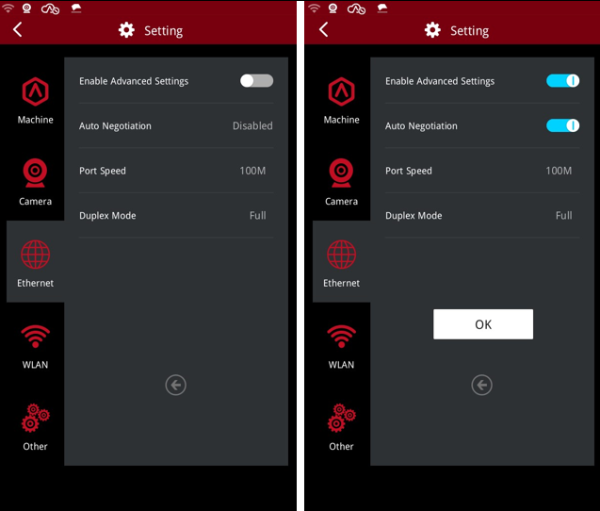
Enable Advanced Settings: Turn on the switch to set the following three items. Tap "Confirm" and restart the printer or network connection, and the settings will take effect.
Auto Negotiation: If this function is enabled, the printer will automatically configure the “Port Speed” and “Duplex Mode”.
Port Speed: Sets the port speed.
Duplex Mode: Sets the duplex mode.
