

In this page you can Export or Upload .GCODE file.
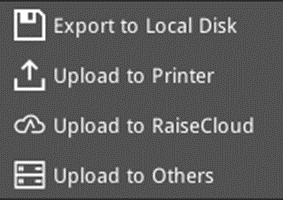 : Switch between the Export and Upload functions by clicking the arrow on the right.
 : Upload the G-Code file to your printer.
 : Save the G-Code file to local disk.
 : Upload the G-Code file to RaiseCloud. (It can only work properly with ideaMaker version 3.6.0 or higher.): Upload the G-Code file to other servers. (This function is only available for ideaMaker version 4.0.0 or later.)
 : Upload the G-Code file to other servers. (This function is only available for ideaMaker version 4.0.0 or later.)
-END-
