

If you select Structure from the drop-down menu, different colors will display different structures of the model. The estimated print time and amount of material for each structure will also be displayed.
As shown in Figure 1 below, dark red displays the Outer Shell, green displays the Inner Shell, yellow displays the Infill, light red displays the Solid Fill, purple displays the Brim, and dark blue displays the Travel.
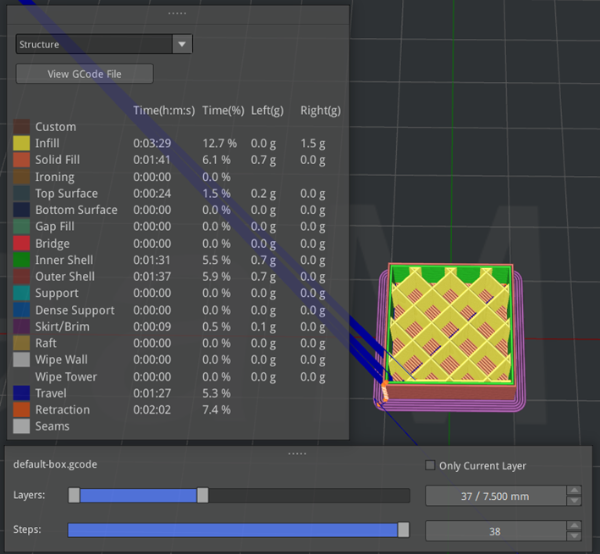
Figure 1: Different colors used to display different structures.
Click on one or more structures to hide the structure’s color, and click the icon  to redisplay the structure.
For example, as shown in Figure 2 below, the yellow for Infill and the green for Inner Shell are hidden.
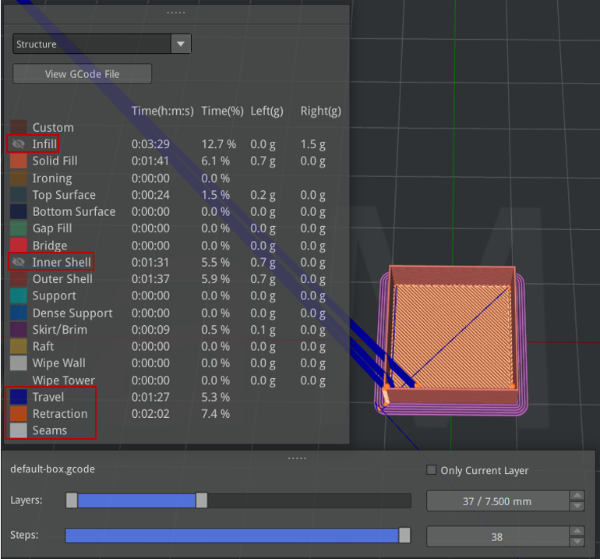
Figure 2: Colors hidden for the Infill and Inner Shell.
At the bottom of the Structure panel (as shown in the red box in above Figure 2), you can enable dark blue to display Travel, orange to display Retraction and white to display Seams.
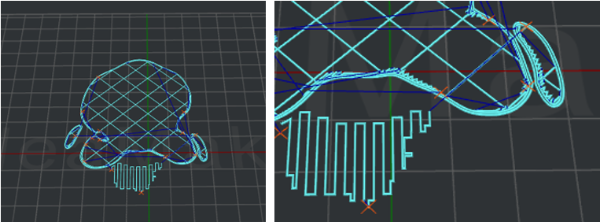
Figure 3: Dark blue lines display the travel routes of the nozzle, and orange crosshairs display the retraction points.
