

From the menu bar, click Model > Cross Section to open the Cross Section panel. Check Enable in the Cross Section panel. Click X, Y, Top Z or Bottom Z, and then drag the Control slider to view the cross-section structure of the model on the X, Y or Z axis.
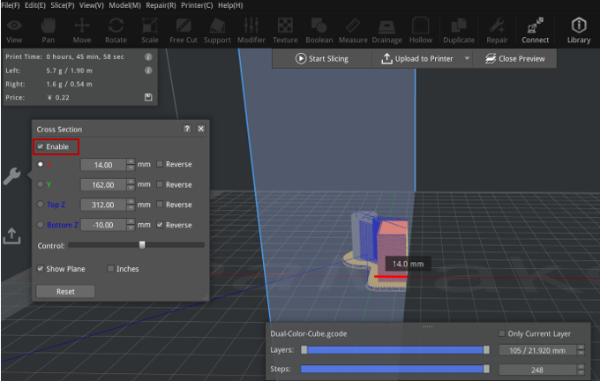
Figure 1: GCode Preview – Cross Section.
