

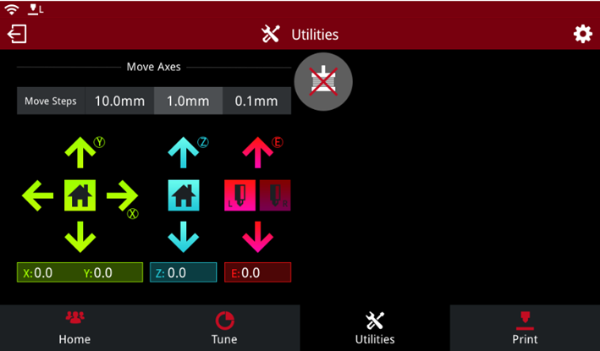
Figure 1: Utilities for Raise3D Pro2 Series Printer.
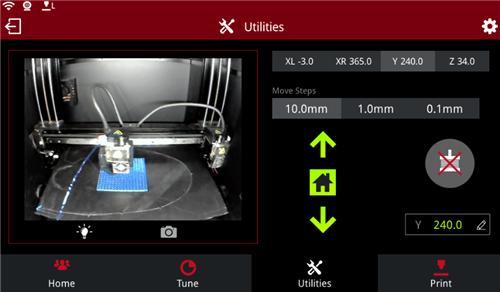
Figure 2: Utilities for Raise3D E2 Printer.
(1) Raise3D N series and Pro2 series printers
Move Steps: the distance X/Y/Z will move per click, there are 3 types: 10.0mm, 1.0mm and 0.1mm.
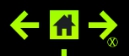 : move the extruder in X direction.
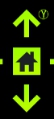 : move the extruder in Y direction.
 : home the extruder in X & Y directions.
 : move the build plate in Z direction.
 : home the build plate in Z direction.
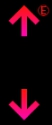 : move the feeding gear to load or unload filament.
If your machine is a dual-extruder machine it will show L and R nozzle icon here.
 : the value of X/Y/Z/E have moved. It will back to 0 after homing or reboot.
 : disable all the five motors. (If the machine is a single-extruder one, then there are four motors in total). You can push the head by hand after triggering this function.
(2) Raise3D E2 printer
Move Steps: The distance X/Y/Z will move per click, there are 3 types: 10.0mm, 1.0mm and 0.1mm.
XL refers to moving the left extruder in X direction. (Left and Right)
XR refers to moving the right extruder in the X direction.
Y refers to moving the build plate in the Y direction.
Z refers to moving the X-axis guide rail in the Z direction.
 : Home the left/right extruder in the X direction.
 : Home the build plate in the Y direction.
 : Home the X-axis guide rail in the Z direction.
 : The value that X/Y/Z have moved., will go back to 0 after homing or rebooting.
 : Disable all motors. You can push the head by hand after triggering this function.
-END-
