

Select the Shortcuts tab in the Preferences panel.
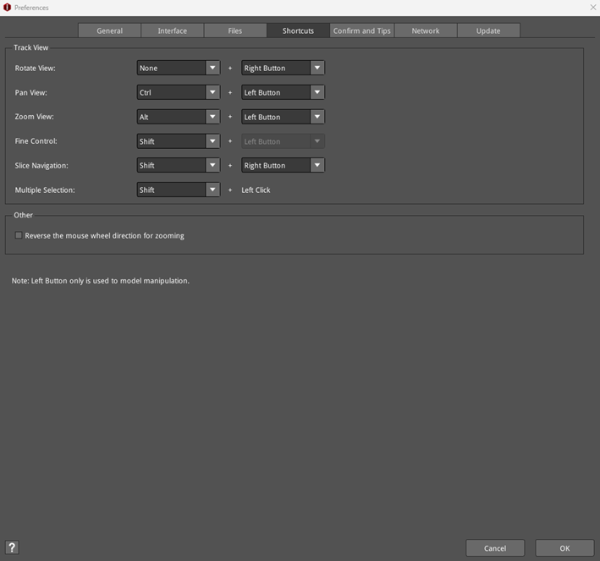
Figure 1: Preferences – Shortcuts.
Track View:
Right-click to rotate model.
Press Ctrl + left mouse button and move mouse to pan the view.
Press Alt + left mouse button and move mouse to zoom the view.
Press Shift + left mouse button and move mouse for the fine control of mouse’s movement.
Press Shift + right mouse button and move mouse to control the layers during previewing the GCode file. Move mouse up/down to control the Layers in slice Preview, and move mouse left/right to control Steps in slice Preview.
Press Shift + left mouse button to select multiple models.
Other:
Reverse the mouse wheel direction for zooming: With the function enabled, it will invert the direction the mouse wheel scrolls for zooming.
Note: You can view more shortcut details by pressing the Keyboard icon in the bottom left corner. You can also edit it by pressing the edit button  .
.
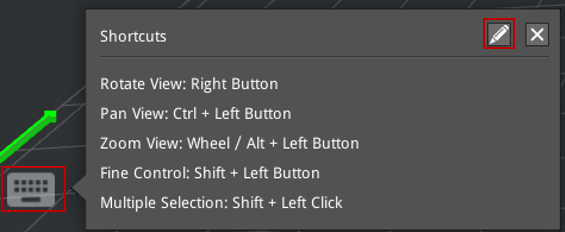
Figure 2: The keyboard icon shows more shortcuts.