

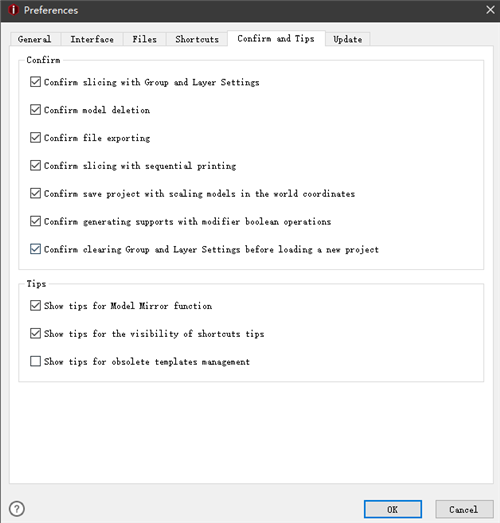
Figure 1: The Confirm and Tips.
Confirm:
Confirm slicing with Group and Layer Settings when enabled, ideaMaker will pop-up a dialog to confirm whether to continue slicing with override parameters in Group and Layer Setting as Figure 2.
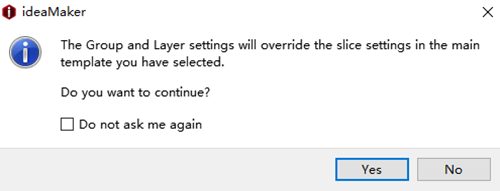
Figure 2: Confirm slicing with Group and Layer Settings.
Confirm model deletion when enabled, ideaMaker will pop-up a dialog to confirm whether to delete the model you selected as Figure 3.

Figure 3: Confirm model Deletion.
Confirm file exporting means ideaMaker will issue a pop-up box to confirm whether to export the model you selected as Figure 4.
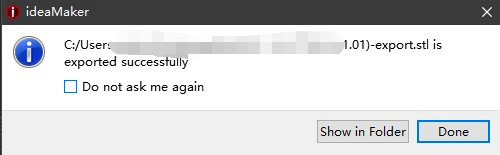
Figure 4: Confirm model exporting.
Conform slicing with sequential printing means ideaMaker will issue a pop-up box with warnings when slicing with sequential printing as Figure 5.
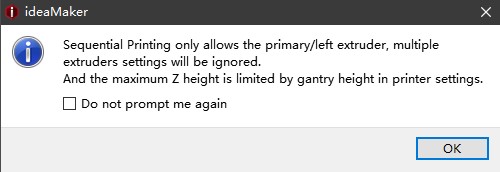
Figure 5: Conform slicing with sequential printing.
Confirm save project with scaling models in the world coordinates means ideaMaker will issue a pop-up box to confirm whether to save the models including the scale information.
Confirm generating supports with modifier Boolean operation means ideaMaker will issue a pop-up box to confirm whether to regenerate new support for the results mesh Boolean operations by the modifiers.
Confirm clearing Group and Layer Settings before loading a new project with this function enabled, ideaMaker will pop-up a dialogue box to confirm whether to clear Group and Layer Settings before importing a new project.
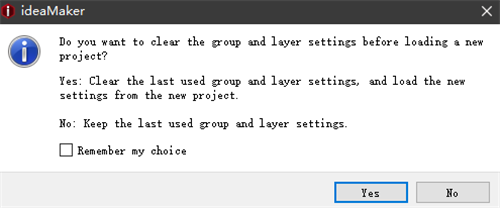
Figure 6: Confirm clearing Group and Layer Settings before loading a new project.
Confirm opening hyperlink to see more details of slice settings with this function enabled, ideaMaker will pop-up a dialogue box to confirm whether to open the link to view more details of slice settings.

Figure 7: Confirm opening hyperlink to see more details of slice settings.
Confirm adding supports for floated models with this function enabled, ideaMaker will pop-up a dialogue box to confirm whether to add support before slicing.
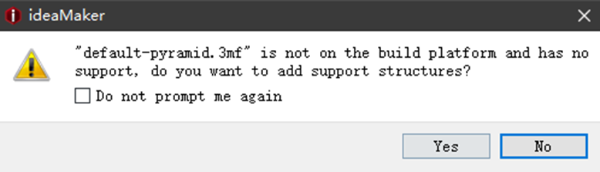
Figure 8: Confirm adding supports for floated models.
Confirm saving project when closing ideaMaker with this function enabled, ideaMaker will pop-up a dialogue box to confirm whether to save the project before closing ideaMaker.
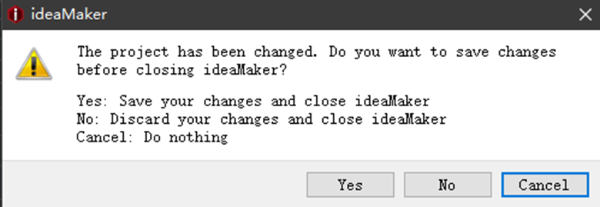
Figure 9: Confirm saving project when closing ideaMaker.
Tips:
Show tips for Model Mirror Function with this function enabled, ideaMaker will pop-up a dialog to show tips for the model mirror function as Figure 7.
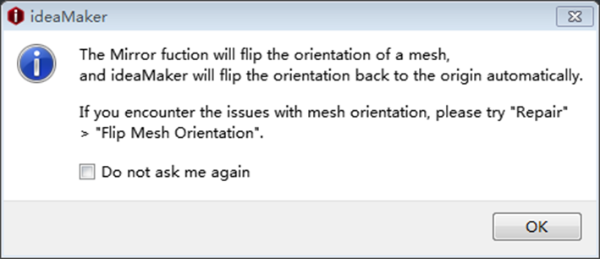
Figure 10: Show tips for Model Mirror Function.
Show tips for visibility of shortcuts tips with this function enabled, ideaMaker will pop-up a dialog to remind the tips for visibility of shortcuts function.
Show tips for obsolete templates management when enabled, ideaMaker will pop-up a dialog to remind the tips for obsolete templates management.
-END-
