

Select the Update tab in the Preferences panel.
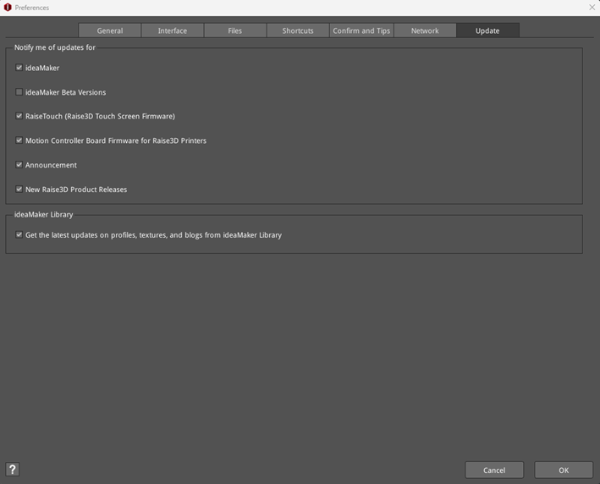
Figure 1: Preferences – Update.
Notify me of updates for:
ideaMaker: With this function enabled, ideaMaker will check for ideaMaker updates automatically.
ideaMaker Beta Versions: With this function enabled, ideaMaker will check for ideaMaker beta version updates automatically.
RaiseTouch (Raise3D Touch Screen Firmware): With this function enabled, ideaMaker will check for RaiseTouch updates automatically.
Motion Controller Board Firmware for Raise3D Printers: With this function enabled, ideaMaker will automatically check for motion controller board firmware updates for Raise3D printers.
Announcement: With this function enabled, ideaMaker will remind you if we send any new announcements.
New Raise3D Product Releases: With this function enabled, ideaMaker will provide new product reminders.
ideaMaker Library:
Get the latest updates on profiles, textures, and blogs from ideaMaker Library: With this function enabled, ideaMaker will remind you about the availability of the latest information about profiles, textures or blogs on ideaMaker Library.
