

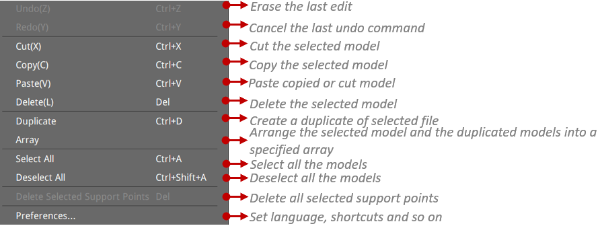
Delete Selected Support Points Del: Press the left mouse button and drag to form a box selection for some support points, and those selected support points will turn purple. Use this function to delete all selected purple support points.
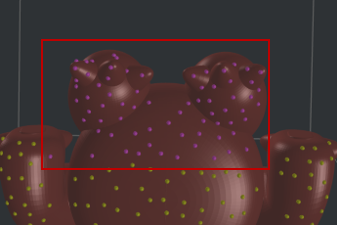
Figure 1: Delete the selected support points.
Array: Arrange the selected model and the duplicated models into a specified array. A positive value will increase the spacing between models, and a negative value will decrease the spacing between models.

Figure 2: Model Array.
