

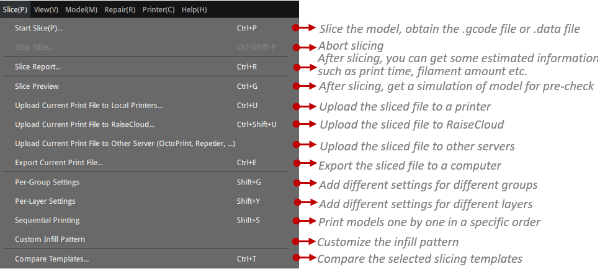
Compare Templates: Refers to comparing the selected two templates. You can choose different printer, filament and template. You can also import new templates, .gcode or .data files from local disk. Click Export (as shown in Figure 1) to save the template comparison report to your local disk.
Ignore Dependency: With this function enabled, all the different settings are displayed, regardless of the dependencies between different slicing settings.

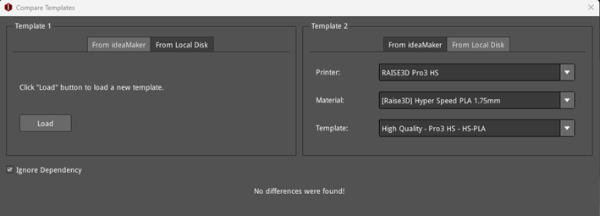
Figure 1: Compare Templates.
Custom Infill Pattern: With this function enabled, users can customize their desired infill pattern. The imported image will be automatically converted to infill pattern.
Pattern Name: Refers to the new-imported infill pattern’s name, and you can also rename it.
Note: With this function enabled, the original infill density will be ignored.
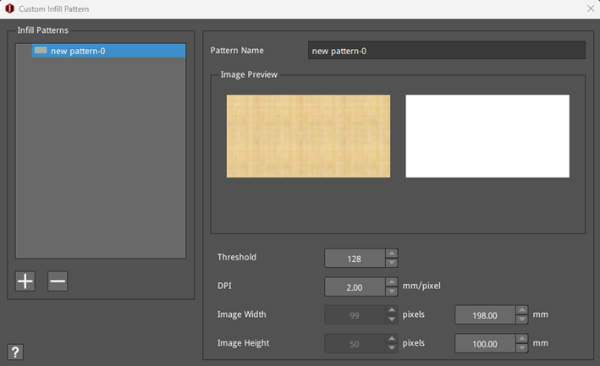
Figure 2: Custom the Infill Pattern.
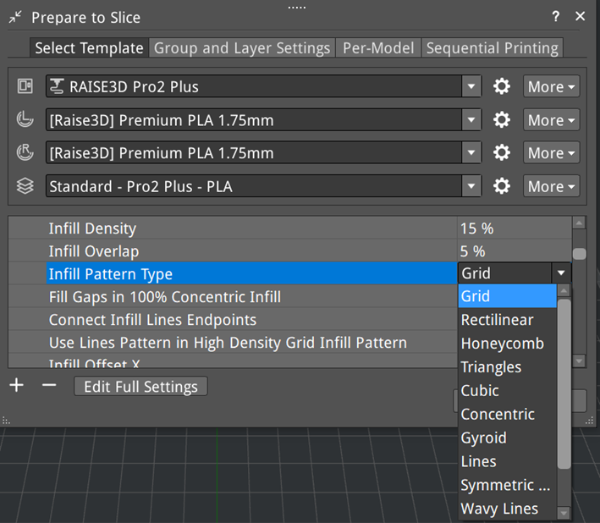
Figure 3: Modify the Infill Pattern Type in the Prepare to Slice panel.
