

Note:
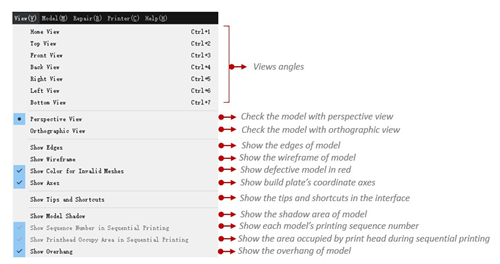
You can also change the model view freely by right clicking and dragging your mouse.
Show Axes refers that with this function enabled, ideaMaker will show printer’s coordinate axes as shown in Figure 1.
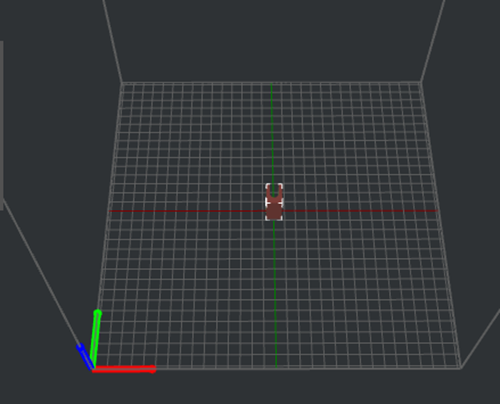
Figure 1: Show Axes.
Show Model Shadow with this function enabled, ideaMaker will show the model’s shadow on the build surface as Figure 2.
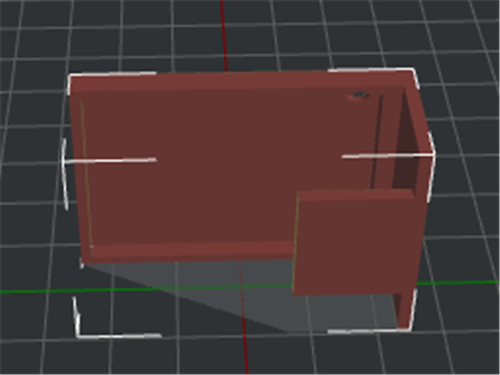
Figure 2: Show Model Shadow.
Show Print head Occupy Area in Sequential Printing when enabled, ideaMaker will show the area occupied by print head during sequential printing as Figure 3.
Note: The area indicated by the green arrow is the platform additions.
The area indicated by red arrow is the print head movement area.
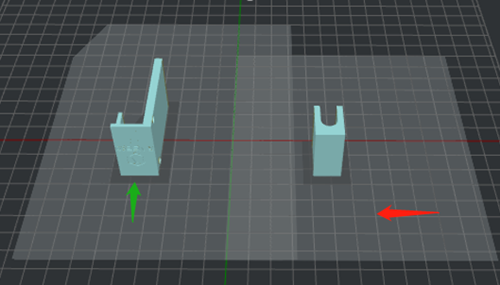
Figure 3: Show Print head Occupy Area in Sequential Printing.
Show Overhang with this function enabled, ideaMaker will show the model’s overhang as Figure 4.
Note: If the model’s overhang angle is smaller than Overhang Angle in support tab, the overhang will not be displayed.
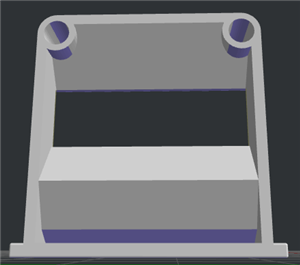
Figure 4: Show overhang.
-END-
