

 : When enabled, the selected model can be moved in the Z direction by left-dragging the blue arrow above the model with your mouse. Move the model freely in X and Y directions by holding the left button and dragging the selected model. You can also set the exact X/Y/Z coordinate value to move the selected model in the operation property zone.
Place in Extruder’s Printing range refers that with this function enabled, the selected model will be placed in the center of extruder’s printing range instead of build plate’s range.
Make Center moves the model to the center of the build plate.
On Platform refers to dropping the model on the build plate.
Arrange All Models will arrange models automatically when you print several models simultaneously.
Note: Models will be arranged according to print head occupied area if the function of the sequential printing is enabled.
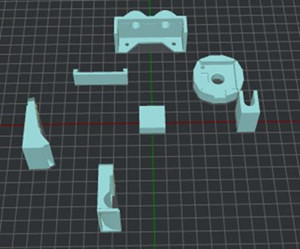
Figure 1: Models unarranged on the build plate.
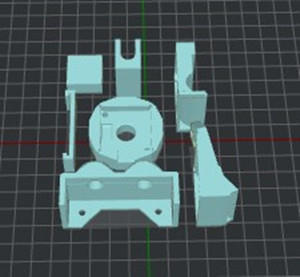
Figure 2: Results of selecting Arrange all models.
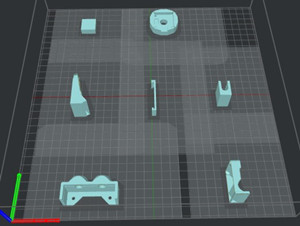
Figure 3: Results of selecting Arrange all models along with Sequential printing.
Align Together refers to aligning the models to the default position in 3D designing software when printing several models simultaneously.
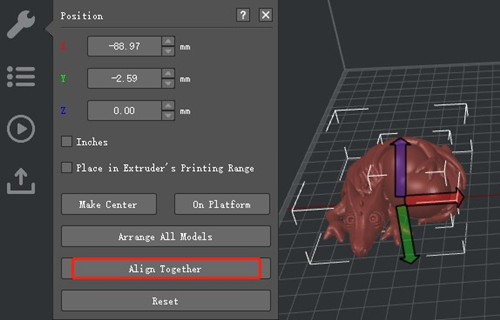
Figure 4: You can drag the selected model freely in X & Y directions by holding a left click. Click the blue arrow to drag the model up and down on the Z axis.
-END-
