

 : When this button is utilized, there will be a plane which can moved to cut the model into individual pieces.
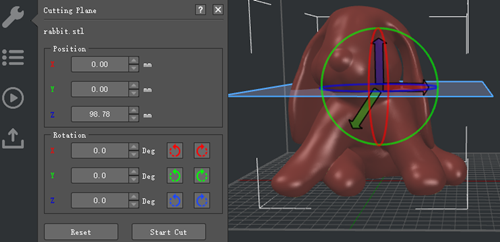
Figure 1: Click "Start Cut" to cut the model into separate pieces.
There will be three options to cut the selected model.
Option 1: Move the red, blue, green arrow.
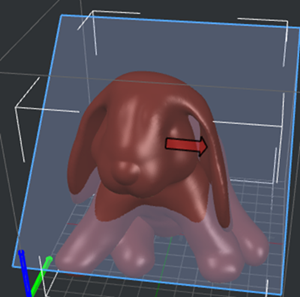
Figure 2: Click and hold a colored arrow to move the "Cutting Plane".
Option 2: Rotate the red, blue, green circle.
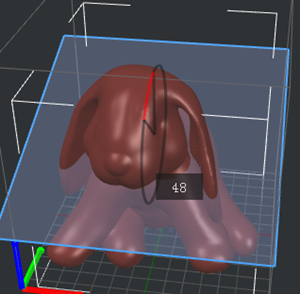
Figure 3: Click and hold a colored circle to rotate the "Cutting Plane".
Option 3: Input the exact value.
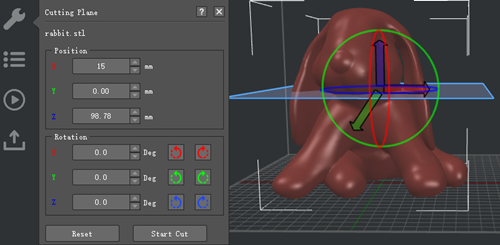
Figure 4: Input values to move or rotate the "Cutting Plane".

Figure 5: The selected model has been cut into two parts.
-END-
