

This section shows the information and settings of the selected model.
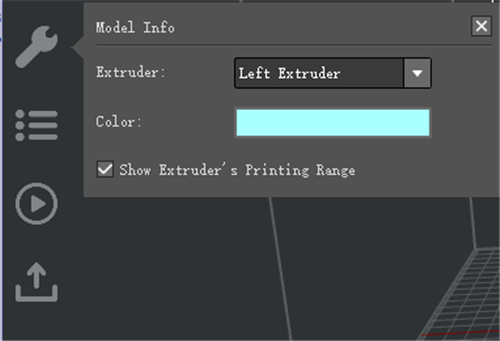
Figure 1: The information shown here depends on which function you are using.
Shows Extruder’s Printing Range demonstrates the non-shadow zone refers to printing area.
See Chapter 8 for details of Distance From Border of Build Plate.
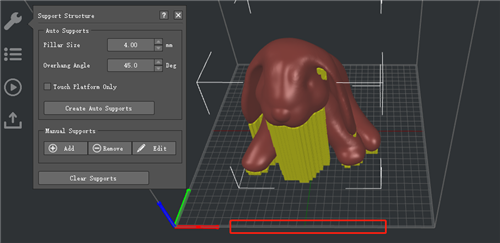
Figure 2: Show Extruder’s Printing Range.
The area of shadow refers to non-print area.
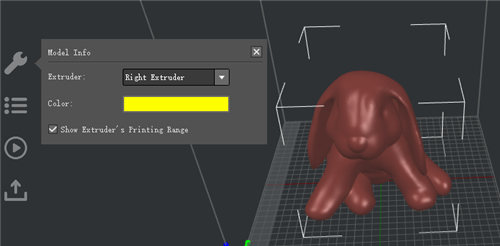
Figure 3: Printing range.
You can also set a safe distance from the build plate border (Printer > Printer Settings > Distance from Border of Build Plate).
Distance from Border of Build Plate refers to keeping a safe distance from the border of the build plate as Figure 4.
Note: This function verifies model is placed inside of the extruder’s printing range.
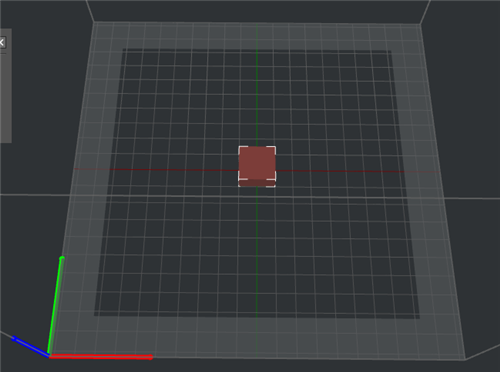
Figure 4: Set Distance from Border of Build Plate 20 mm.
-END-
