

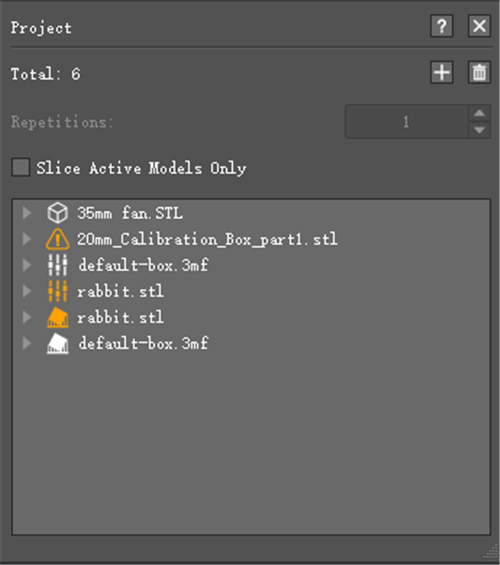
Figure 1: You can also add or delete models here.
This section shows the basic information of models such as the quantity of the faces or the size of the models.
Repetitions refers to the number of the times printed.
Note: It only works for belt printer. You can also modify the printing times in Gcode, See Chapter 5.1.3.14 for details of Repetitions.
 : the model is valid.
 : the model is invalid.
Note: The model is invalid if it includes non-manifold structures.
 : the modifier is invalid.
 : the model is a modifier.
 : the modifier is a support structure of the parent model.
 : the support modifier is invalid.
 : Click "+" to add other models.
 : Delete the model you have selected.
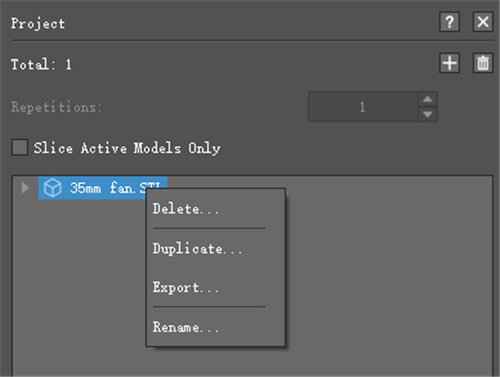
Figure 2: Right-click the blue section will display Delete, Duplicate, Export.
Delete refers to the model will be deleted via this button.
Duplicate refers to the model will be copied via this button.
Export refers to the model you have selected will be exported via this button.
Rename refers that you can rename the selected model.
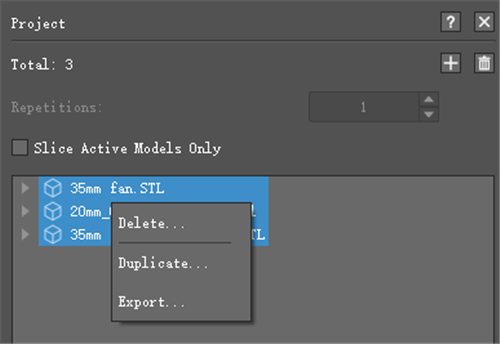
Figure 3: Multiple models can be exported at a time.
Slice Active Models Only with this function enabled, ideaMaker will slice the active models only, the inactive models will be ignored.
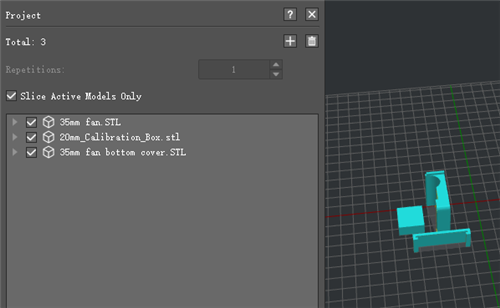
Figure 4: Active all models.
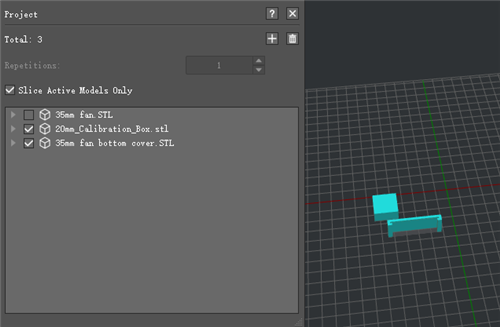
Figure 5: Active some of the models.
-END-
