

If some parameters have been modified in the existing template, an asterisk (*) will be displayed before the template name. Clicking Save a revision to save the modified parameters. If some parameters are modified again, clicking the Restore to the Last Revision button will cancel all parameter modifications and restore the template to the last saved parameter settings.
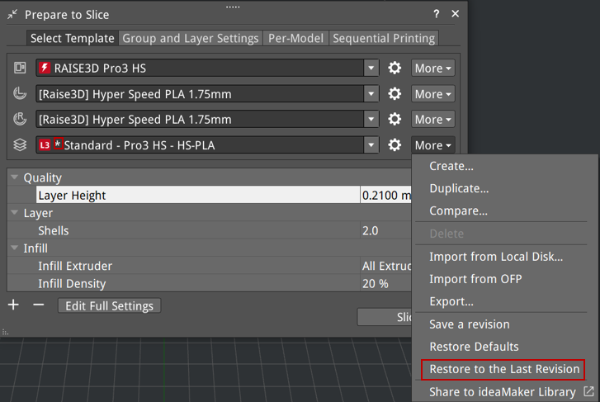
Figure 1: Restore the existing template to its last saved settings.
