

(1) Platform Addition
Platform Addition: Decides whether the Raft/Brim/Skirt needs to be added or not. There are six options.
Ø None: Will not print Raft/Brim/Skirt for the model.
Ø Skirt Only: Extrudes a loop(s) of filament extruded around the first layer of the model to ensure a steady flow during printing.
Ø Brim Only: Brim is a single layer that extends outwards from the first layer of the model, helping the model better adhere to the build plate.
Ø Raft Only: Raft is composed of a few layers placed on the build plate before the model is printed to help the model adhere to the build plate.
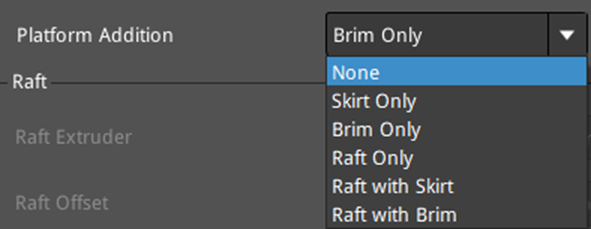
Figure 1: Select a structure for "Platform Addition".
(2) Raft
The settings for Raft will be editable only when Platform Addition is set to Raft only, or Raft and Skirt, or Raft and Brim.
Raft Extruder: The extruder for printing raft. If you have set the number of extruders to 1, it will only display Primary Extruder; If you have set the number of extruders to 2, it will display Left Extruder or Right Extruder.
Raft Offset: The distance between the model and extra raft area around it.
Raft Gap from Model: The gap between the last layer of the raft and the first layer of the model.
Second Layer Z Lift: With this function enabled, the model’s second layer will be lifted, so it will be easier to remove the model from the raft.
Note: Please don’t set the value of Second Layer Z Lift to be too large, otherwise it may cause excessively big gaps between the first layer and the second layer.
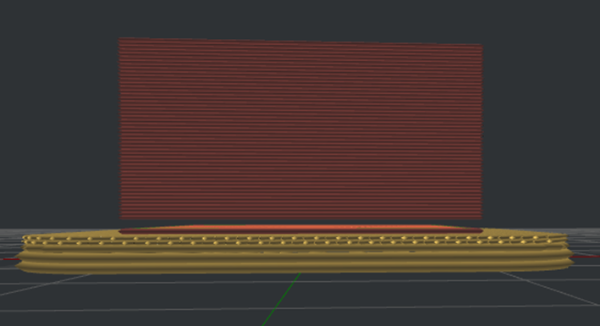
Figure 2: Set "Second Layer Z Lift" to 0.5mm.
Raft Lines Type: The infill pattern for the raft.
Ø Lines: The segments in the same direction.
Ø Rectilinear: The fill structure printed with a continuous moving path.

Figure 3: Select a Raft Lines Type for your model.
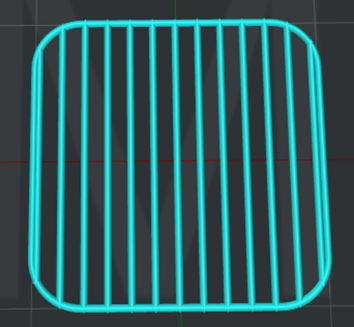
Figure 4: The "Raft Lines Type" is set to "Lines".
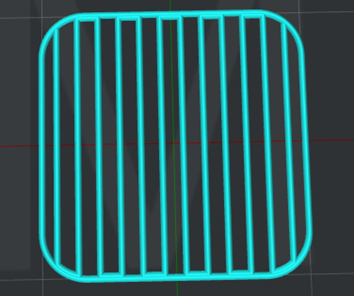
Figure 5: The "Raft Lines Type" is set to "Rectilinear".
Keep Holes in Raft Structure: With this function enabled, ideaMaker will generate a raft with holes inside according to the shape of your model. With this function disabled, ideaMaker will generate a whole piece of Raft without holes inside in case overlapping lines between different printing sections on Raft.
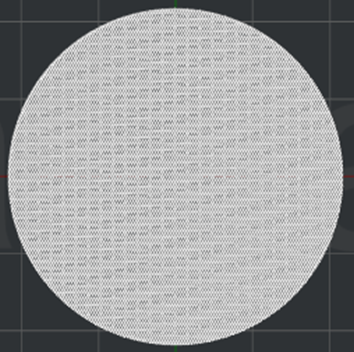
Figure 6: A normal Raft.
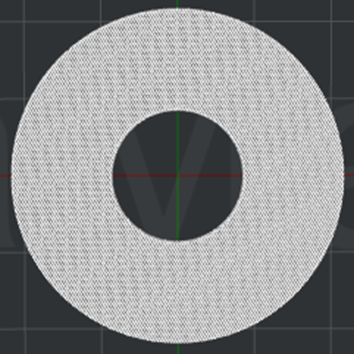
Figure 7: Keep Holes in the Raft structure.
First Layer:
First Layers: The number of layers that make up the base layers of the raft.
First Layer Speed: The printing speed for the first layers of the raft.
Extrusion Width Percentage: The percentage of extrusion width in raft first layers. For Example, if the extrusion width is 0.4 mm and you set this value to 120%, the raft first layer extrusion width will be 0.48mm.
Layer Height: The thickness of the raft’s first layer.
First Layer Infill Ratio: The infill density for the first layers of the raft.
First Layer Infill Angle: The infill angle for the first layers of the raft.
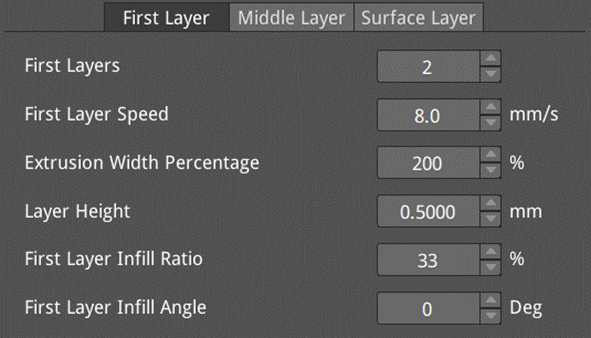
Figure 8: The First Layer.
Middle Layer:
Middle Layers: The number of middle layers in the middle of the raft.
Middle Layer Speed: The printing speed for the middle layers of the raft.
Extrusion Width Percentage: The percentage of extrusion width in raft’s middle layers. For example, if the extrusion width is 0.4 mm and you set this value to 120%, the raft middle layer extrusion width will be 0.48mm.
Layer Height: The thickness of the raft’s middle layer.
Middle Layer Infill Ratio: The infill density for the middle layers of the raft.
Middle Layer Infill Angle: The infill angle for the middle layers of the raft.
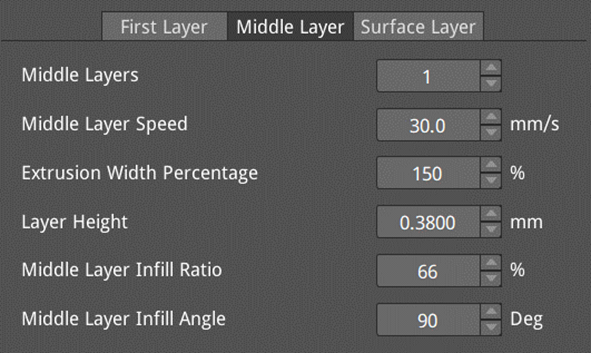
Figure 9: The Middle Layer.
Surface Layer:
Surface Layers: The number of surface layers at the top of the raft.
Surface Layer Speed: The printing speed for the surface layers of the raft.
Extrusion Width Percentage: The percentage of extrusion width in raft surface layers. For Example, if the extrusion width is 0.4 mm and you set this value to 120%, the raft surface layer extrusion width will be 0.48mm.
Layer Height: The thickness of the raft’s surface layer.
Surface Layer Infill Ratio: The infill density for the surface layers of the raft.
Surface Layer Infill Angle: The infill angle for the surface layers of the raft.
Surface Layer Flowrate: The flow rate for printing the surface layers of the raft. The defined value is compounded with the material’s flow rate of the selected extruder and is applied for the final extrusion of the raft surface layers.
Raft Surface Monotonic Order: With this function enabled, the entire surface layer infill of the Raft will use the monotonic order for printing, which can improve the consistency of the surface of the Raft top layer, but will increase the printing time.
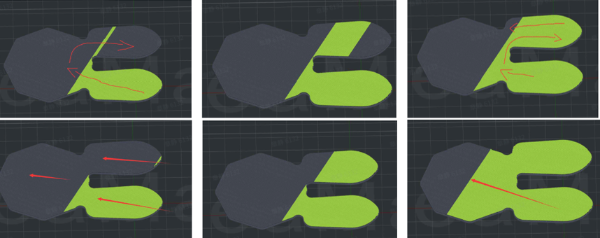
Figure 10: Comparison of printing before (upper three figures) and after (lower three figures) the Raft Surface Monotonic Order is enabled.
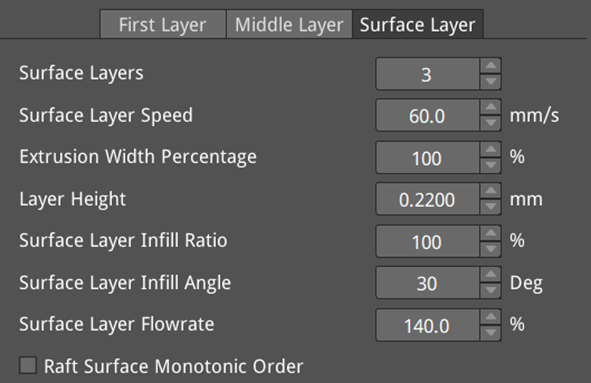
Figure 11: The Surface Layer.
(3) Skirt and Brim
When the Platform Addition is set to None or Raft Only, the settings in this section are not editable.
Skirt/Brim Extruder: The extruder for printing Skirt or Brim. If you have set the number of extruders to 1, it will only display Primary Extruder; If you have set the number of extruders to 2, it will display Left Extruder or Right Extruder.
Skirt/Brim Speed: The printing speed for the Skirt/Brim.
Skirt/Brim Minimal Length: The minimal length of Skirt/Brim. If the total length of Skirt/Brim is shorter than the Skirt /Brim Minimal Length, ideaMaker will add more loops until the final length is longer than the Skirt /Brim Minimal Length.
Skirt Loop Lines: The number of Skirt loops.
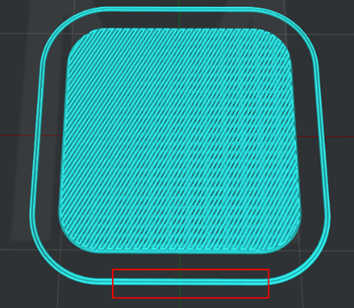
Figure 12: The "Skirt Loop Lines" is set to 2.
Skirt Offset Distance: The distance between the Skirt and the first layer of the model.
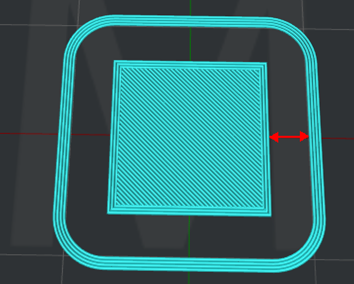
Figure 13: The "Skirt Offset Distance" is set to 5mm.
Skirt Layers: The number of Skirt layers.
Skirt - Print Outer Shell Before Inner Shell in the First Layer: With this function enabled, ideaMaker will print the outer shells before inner shells in the first layer while Skirt Only is used in the Platform Addition.
Brim Loop Lines: The number of Brim loops.
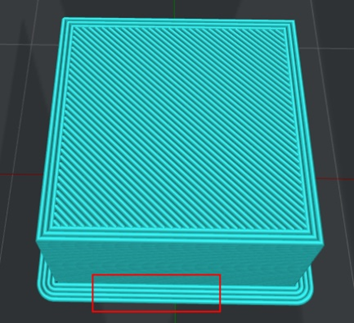
Figure 14: The "Brim Loop Lines" is set to 4.
Brim Offset Distance: The distance between the Brim and the first layer of the model.
Brim - Print Outer Shell Before Inner Shell in the First Layer: With this function enabled, ideaMaker will print the outer shells before inner shells in the first layer while Brim Only is used in the Platform Addition.
Add Brim on Internal Regions: With this function enabled, software will print a Brim around some holes on the internal parts of models or internal islands, like support structures and small models surrounded by a large model. However, a Brim will not be generated in the narrow areas as the Brim will be difficult to remove (see Figure 15).
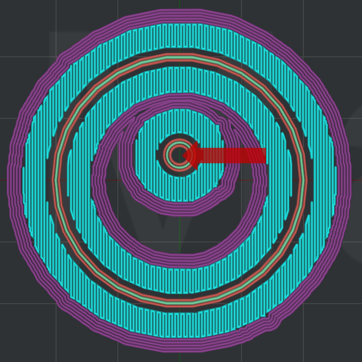
Figure 15: The "Add Brim on Internal Regions" is enabled, and the narrow area inside the model indicated by the red arrow does not have purple Brim generated.
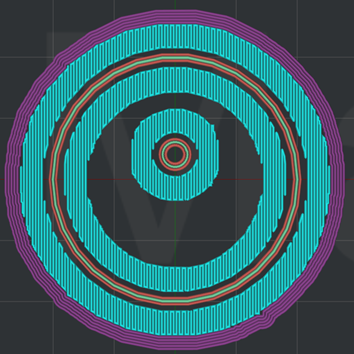
Figure 16: The "Add Brim on Internal Regions" is disabled.
(4) Raft Overrides: With this function enabled, the following settings will be used to override the settings in slicing templates when Raft is enabled. Press + to add more settings, as shown in Figure 17.
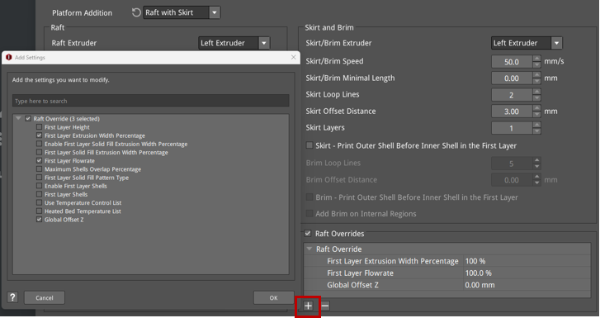
Figure 17: The Raft Overrides settings.
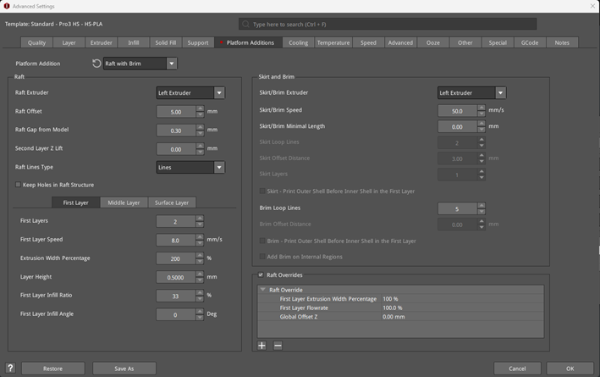
Figure 18: The Platform Additions tab.
