

 : refers to add a new setting group.
A dialog will pop-up after pressing "+" button as Figure 1, please select models from Setting Groups list and press right-arrow button to move it to New Setting Group list or select a model in New Setting Group and press left-arrow button to move it to Setting Groups list.
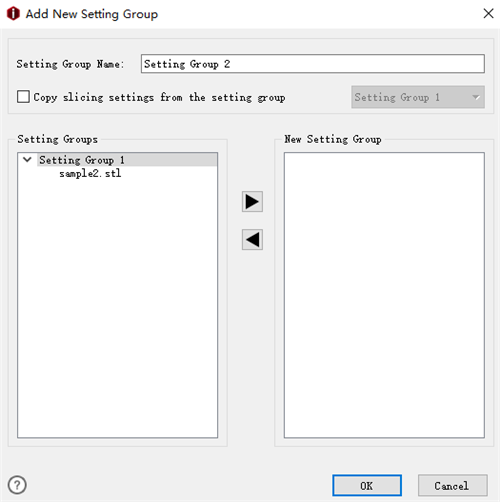
Figure 1: The Add New Setting Group tab.
Copy slicing settings from the setting group means that with this function enabled, you can copy slice settings from other setting groups.
Setting Group Name refers to the new settings group’s name, you also can rename it by yourself.
 : refers to add selected model to new setting group.
 : refers to remove the selected model from new setting groups.
-END-
