

 : refers to editing the selected setting group.
Select a setting group and press Edit button, the interface will be shown as Figure 1, you can delete (or add) models from (or to) the selected setting group.
Setting Group Name refers to the name of the setting group you are editing, you also can rename it by yourself.
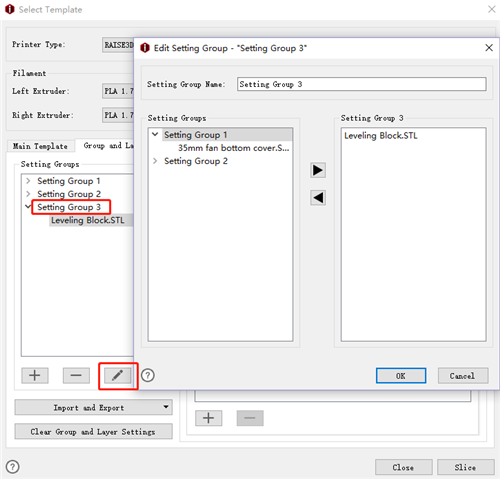
Figure 1: Edit Setting Group.
-END-
