

 : Adds new per-layer settings for your selected setting group.
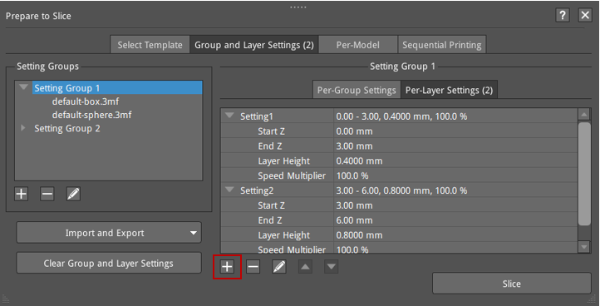
Figure 1: Add Per-Layer Settings.
Select a settings group in the Setting Groups list and click + to add Per-Layer Settings to its models. For example, if the Start Z of Setting Group 1 is set to 0mm, the End Z is set to 4mm, and the Layer Height is set to 0.4mm, the layer height of the cylinder in Setting Group 1 will be 0.4mm within the height range from 0 to 4mm; If the Start Z of Setting Group 2 is set to 3mm, the End Z is set to 6mm, and the Layer Height is set to 0.6mm, the layer height of the box in Setting Group 2 will be 0.6mm within the height range from 3 to 6mm. The effect after slicing is shown in Figure 2.
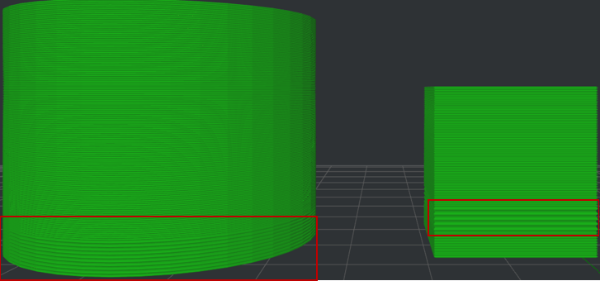
Figure 2: Different per-layer settings for different setting groups.
You can also set different layer heights for different height ranges of models in the same settings group. For example, if the Start Z of Setting 1 for Setting Group 1 (including a sphere and a box) is set to 0mm, the End Z is set to 3mm, the Layer Height is set to 0.4mm, the Start Z of Setting 2 is set to 3mm, End Z is set to 6mm, and the Layer Height is set to 0.8mm, the layer height of the sphere and box in Setting Group 1 will be 0.4mm within the height range from 0 to 3mm, and will be 0.8mm within the height range from 3 to 6mm. The effect after slicing is shown in Figure 3.
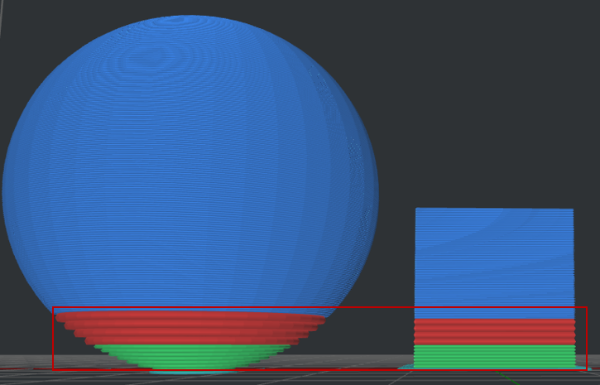
Figure 3: Different per-layer settings are applied to different heights of the models in the same settings group.
