

Press Add/Duplicate button to add a new Filament Settings.
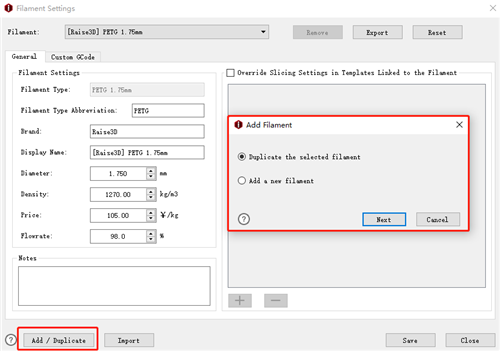
Figure 1: Add/Duplicate Filament template.
If you want to build a new filament, select Add/Duplicate Filament in last page.
Duplicate the selected filament refers to duplicating the current filament template as Figure 2.
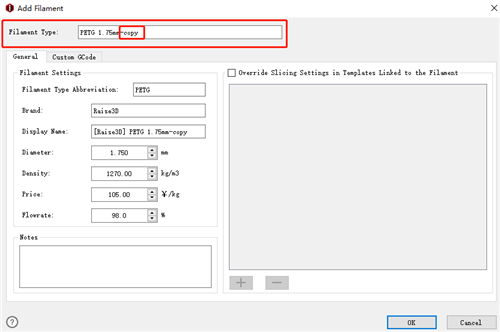
Figure 2: Duplicate the selected filament.
Add a new filament refers to creating a new filament template as Figure 3.
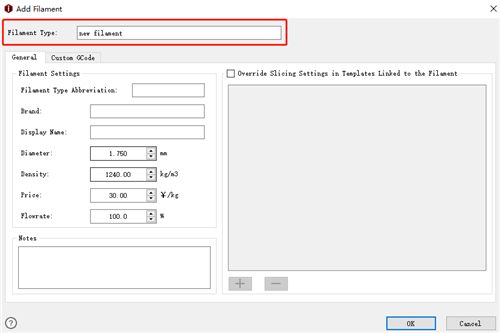
Figure 3: Add a new filament.
Here we have a little tip, in most cases filament doesn't need flowrate compensation. But PLA and flexible materials need to have flowrate compensation. PLA material has a default setting of flowrate at 94%. Print other materials with a PLA setting GCode file may cause wrong extrusion.
-END-
